
RiggiTruckBooks
From Sheets to App.
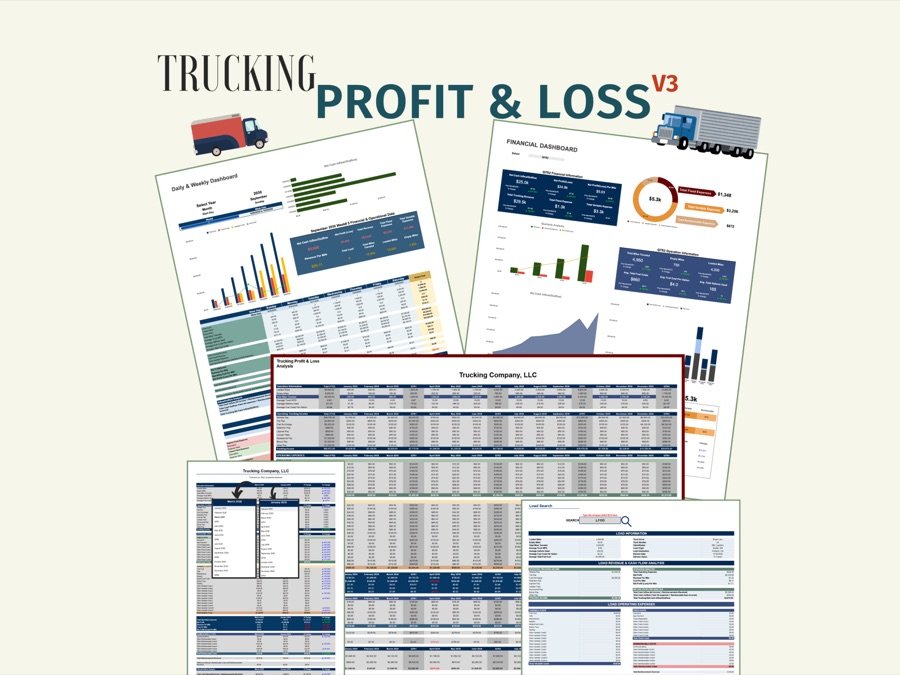
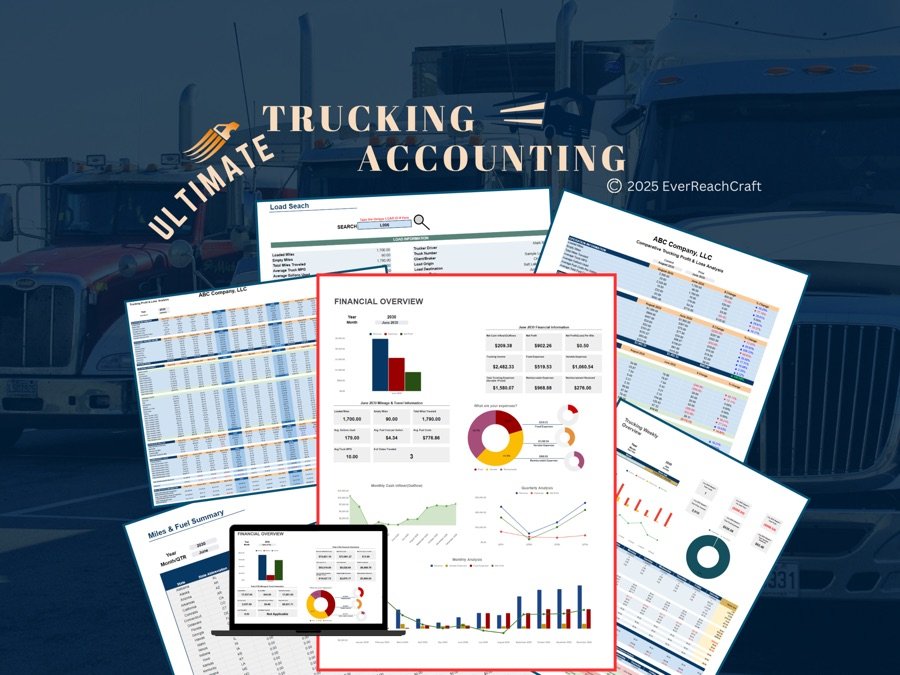
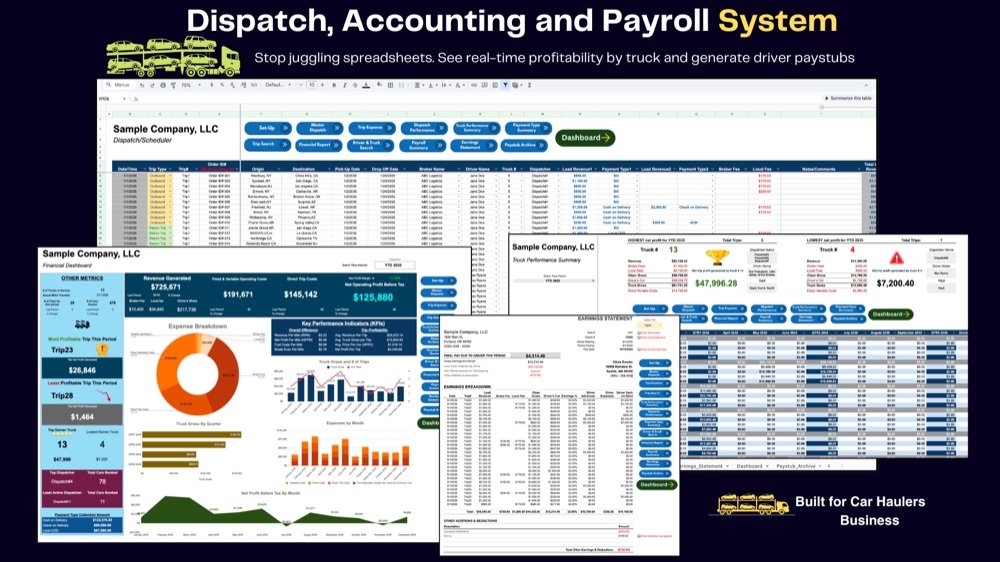
The trucking spreadsheets from EverReachCraft, rebuilt as a trucking bookkeeping app for iPhone, iPad and Android.


- Try 10 loads free
- Basic is a one-time purchase
- No account to create
- Your books stay on your device
- iPhone, iPad and Android
Your loads. Your expenses. Your reports.
All together in Riggi.
Jump to a part
What the video shows
- RiggiTruckBooks: trucking bookkeeping for owner-operators and small fleets. Every load’s profit: this load made $290.86.
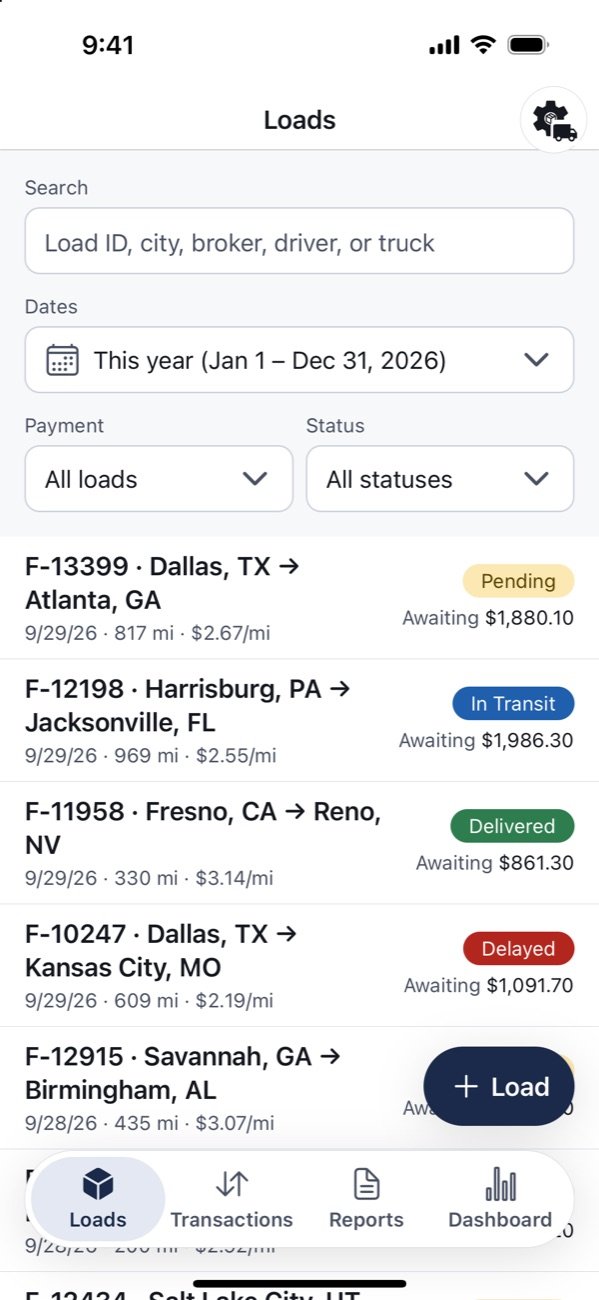
- The loads list, with each load’s payment status. A new load is saved.
- Mark as paid. The payment summary: load payment $699.30, a fuel deduction taken out, net payment $585.15.
- The dashboard: net profit for the week $7,954.98, margin 33.3%, profit per mile $0.44.
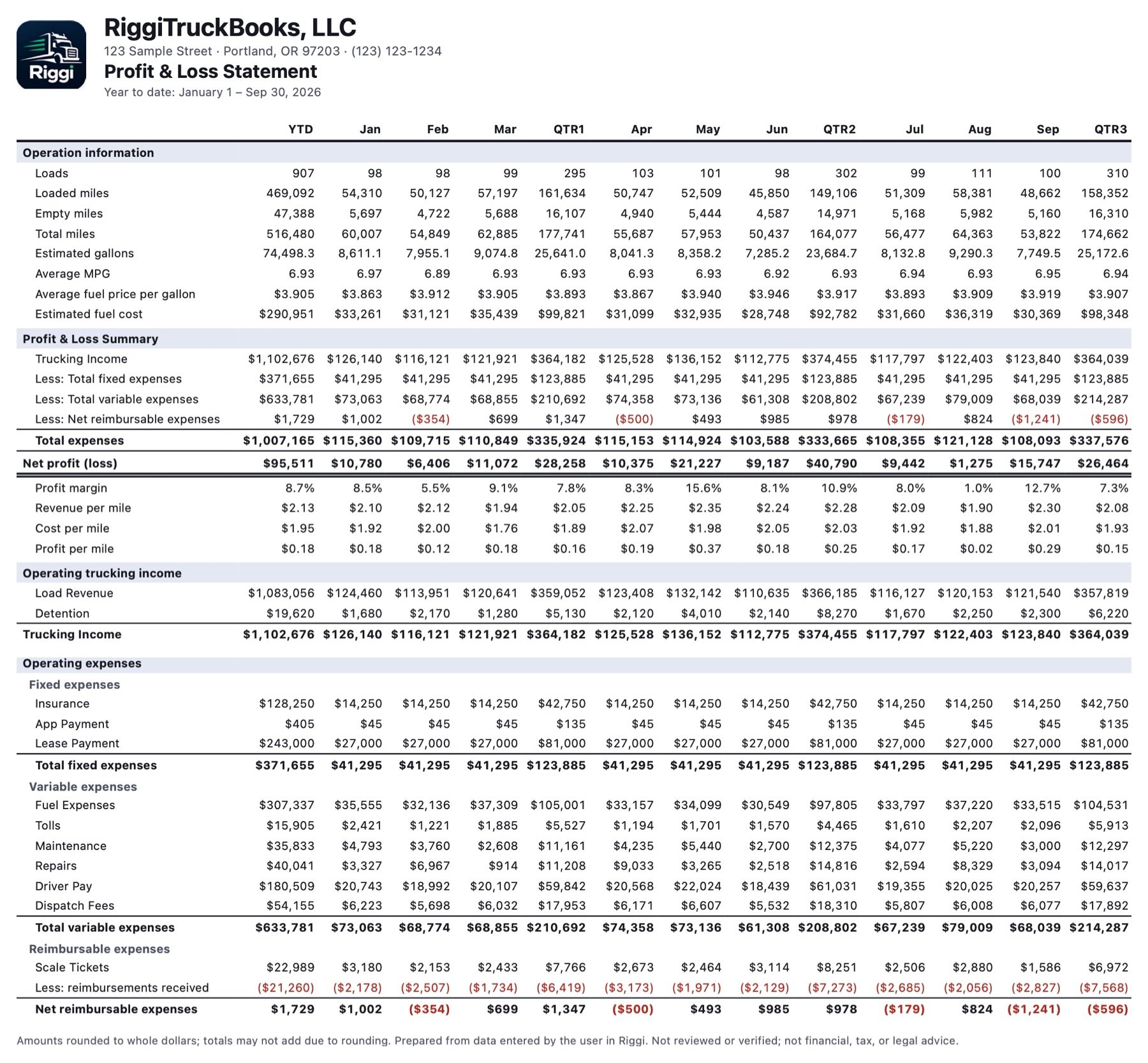
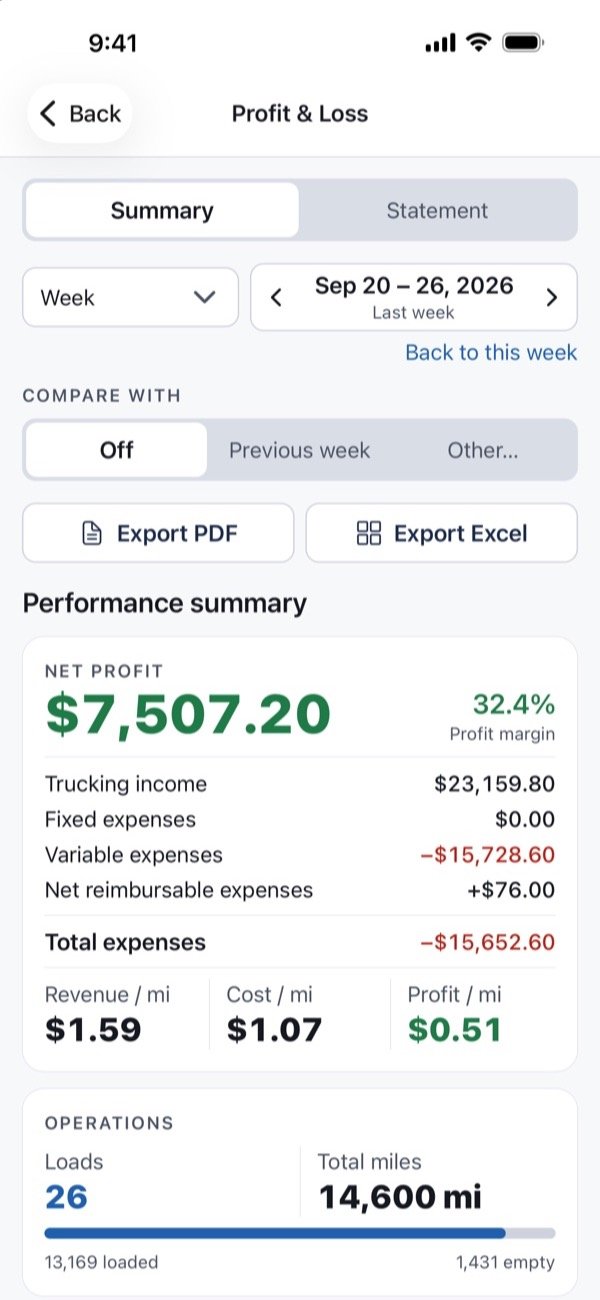
- The Profit & Loss report shows cost per mile: $0.88.
- Export it to PDF or Excel.
- Driver earnings statements, a Pro feature. Final pay $240.55.
- Send the statement by email or text. The driver gets it with the PDF attached.
- Riggi. Trucking bookkeeping for iPhone, iPad and Android. Free to try. On the App Store and Google Play. everreachcraft.com/riggitruckbooks
Music, no speech (a voice reads these lines in the audio-described version).
From the rate con to the report in four steps.
Enter a load once. Riggi keeps track of what's owed, what came in, and what each load really earned, so there's nothing to add up at the end of the week.
Add your load
Tap + Load: rate, miles, broker, driver and truck. Every load and its status in one list.
Enter your income and expenses
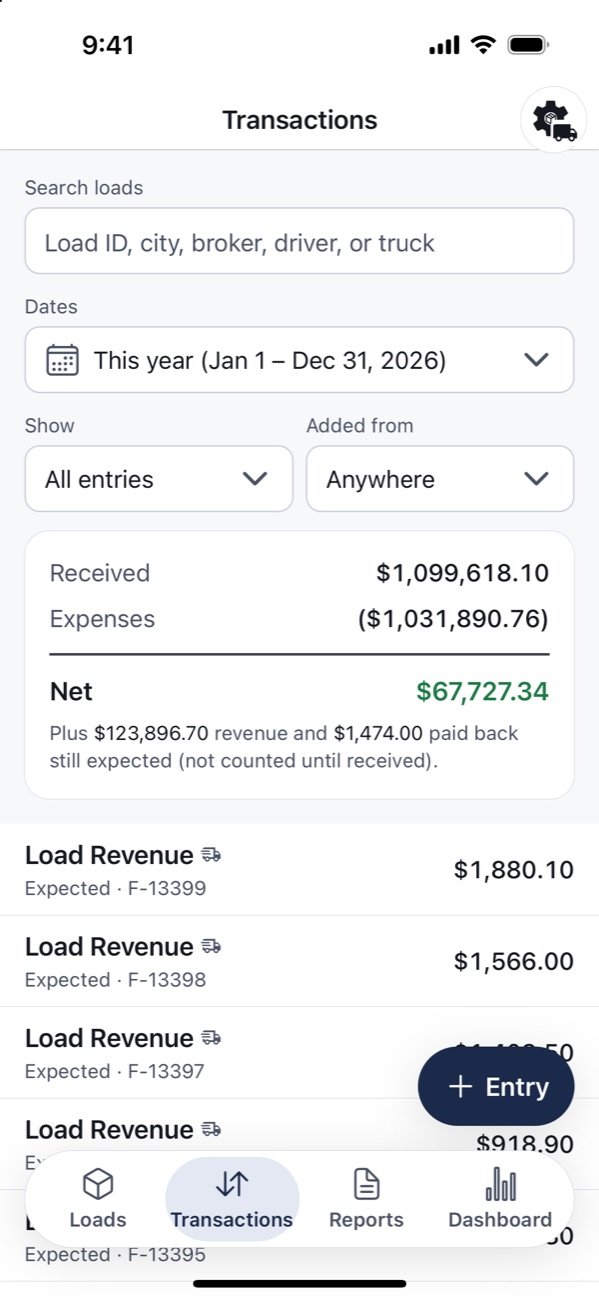
Fuel, tolls and other costs with + Entry. Mark a load paid, and fees and deductions are worked out for you.
Review your reports
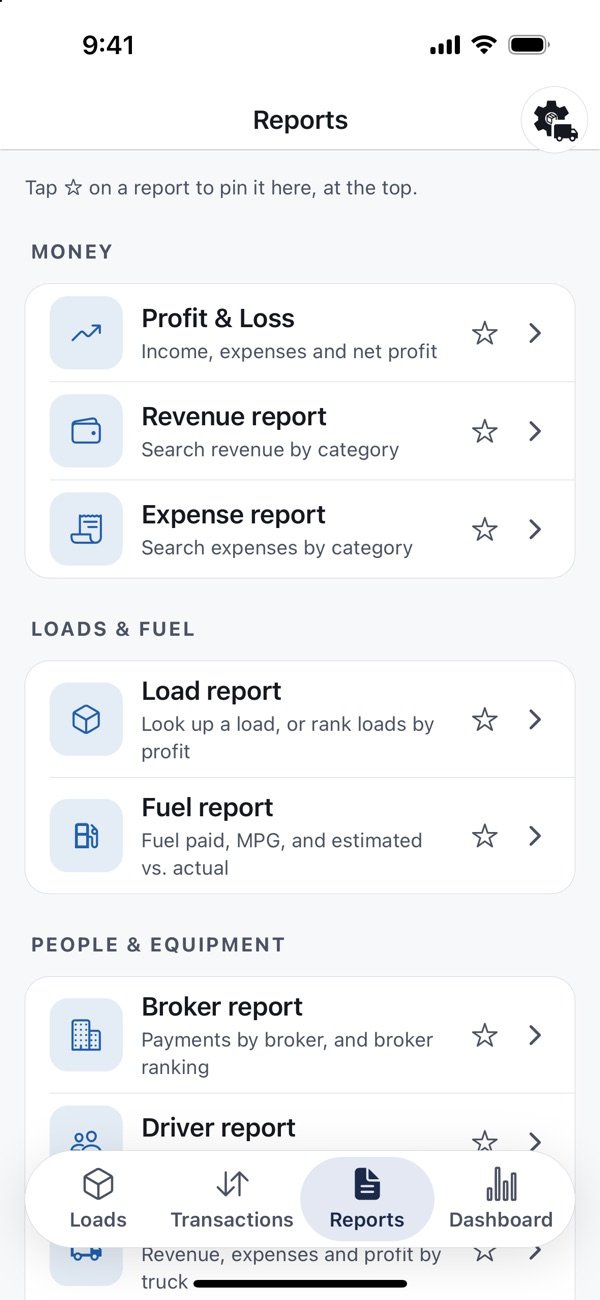
Every report in one tab: Profit & Loss, revenue, expenses, loads, fuel, brokers, drivers, trucks and driver earnings statements. Pin the ones you use most.
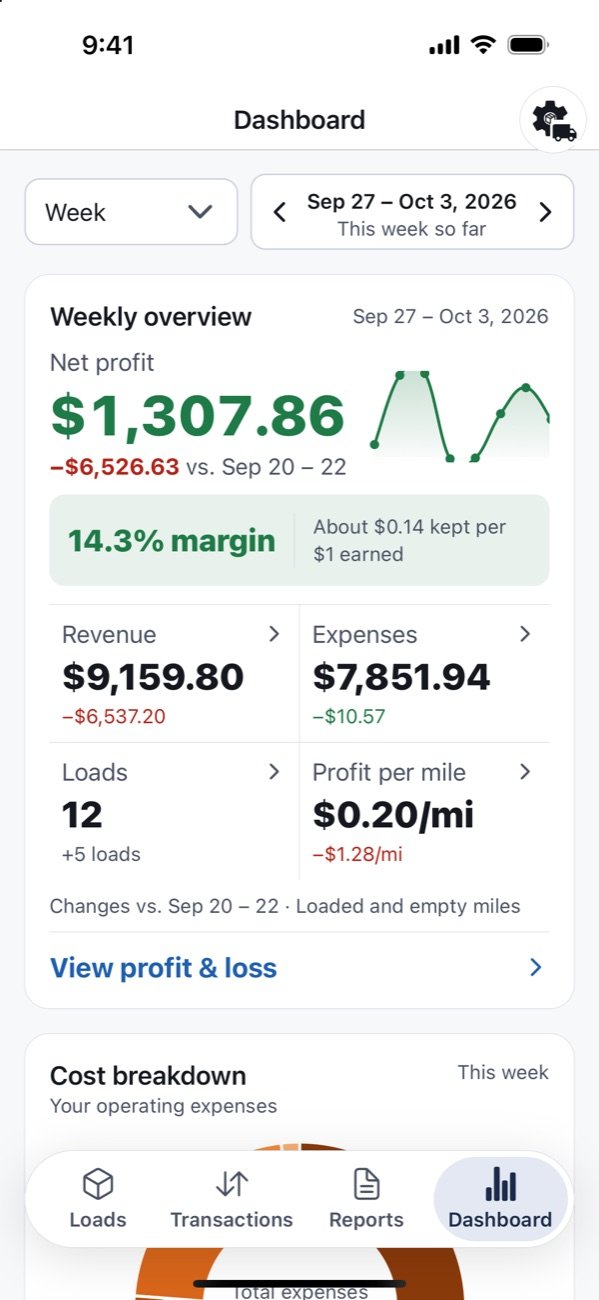
See where you stand
The Dashboard updates on its own, for this week, this month or the whole year.
The paperwork, handled.
Track the details in Riggi. Bring them together in clear reports.
Know what you kept on every load.
Payments, fees and deductions, all in one place.
This example assumes: factoring of 3% of the line haul ($2,400), taken out of the payment; a 5% dispatch fee on the line haul; driver pay of 15% of the load rate; and a $15 scale ticket you paid that the broker paid back. Your own rates, and what each fee is charged on, are set in My Settings, and Riggi works out every load from them.
Driver earnings, ready to share.
Save a statement, attach anything you like, and send it by email or text.
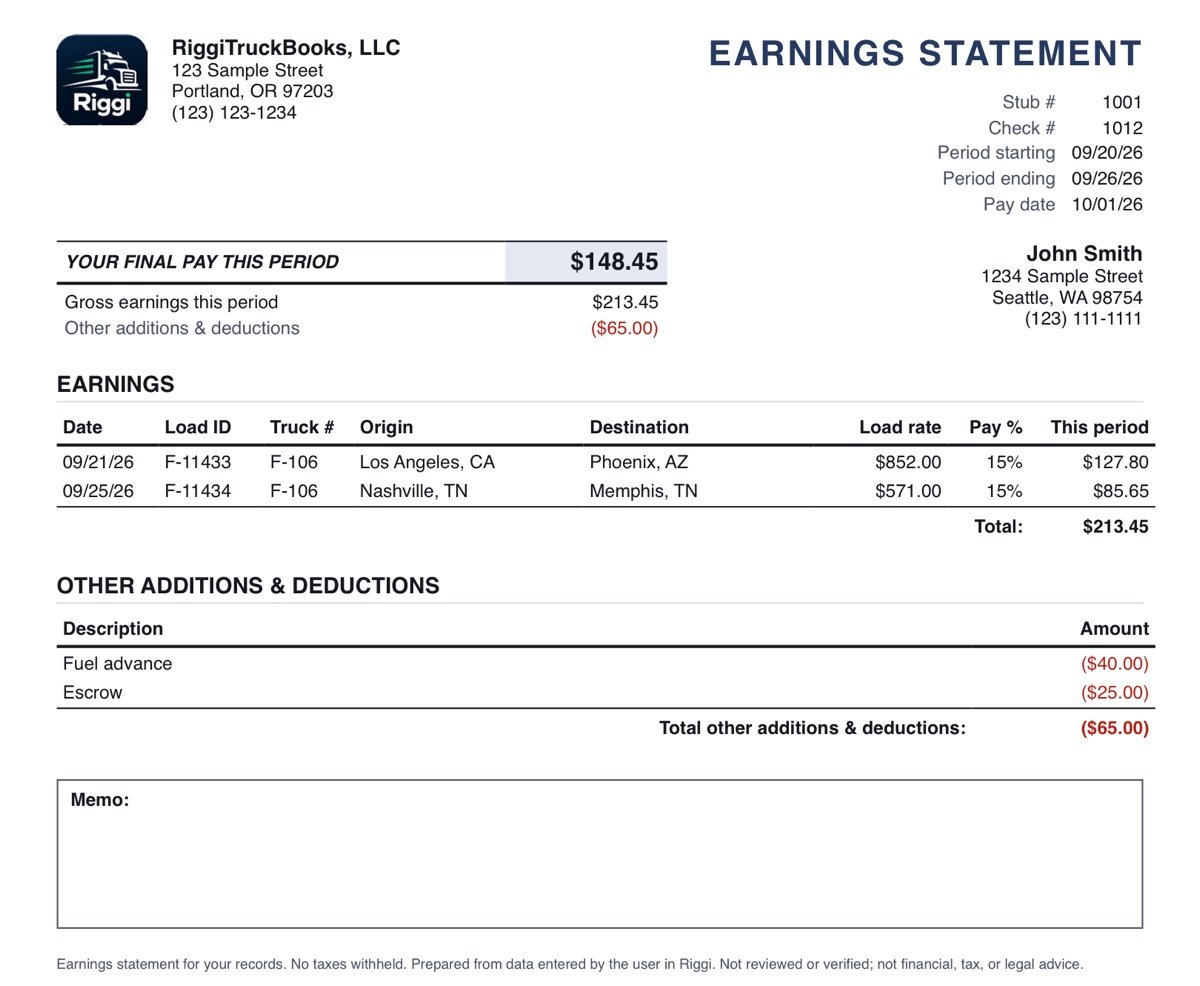
- 1SaveEach statement gets its own stub number and stays in Riggi, ready to reprint.
- 2AttachAdd photos or files: fuel receipts, BOLs, settlement sheets.
- 3SendBy email, text or both. Your Mail or Messages opens filled in; nothing goes out until you tap Send.
Or export the PDF to save it to Files, AirDrop it or print it. Shown with sample data for a fictional company and driver.
Clear reports for your accountant.
Export your dates, totals and every entry.
Riggi’s Profit & Loss PDF, shown with sample data for a fictional company. Tap to open full size.
Every report exports to PDF and Excel, exactly as shown on screen. Driver earnings statements export as PDF.
- Custom fee percentages
- Fuel and MPG tracking
- Weekly through yearly comparisons
One entry. Every report.
Enter your loads and expenses once. Riggi turns them into reports for any week, month or year.
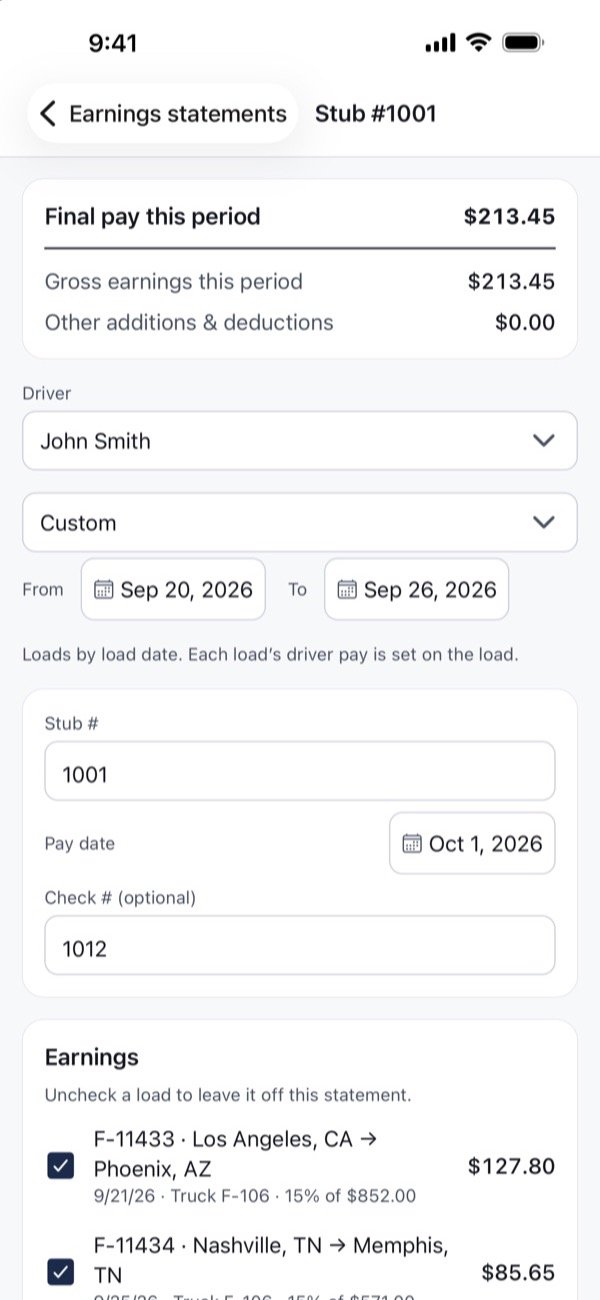
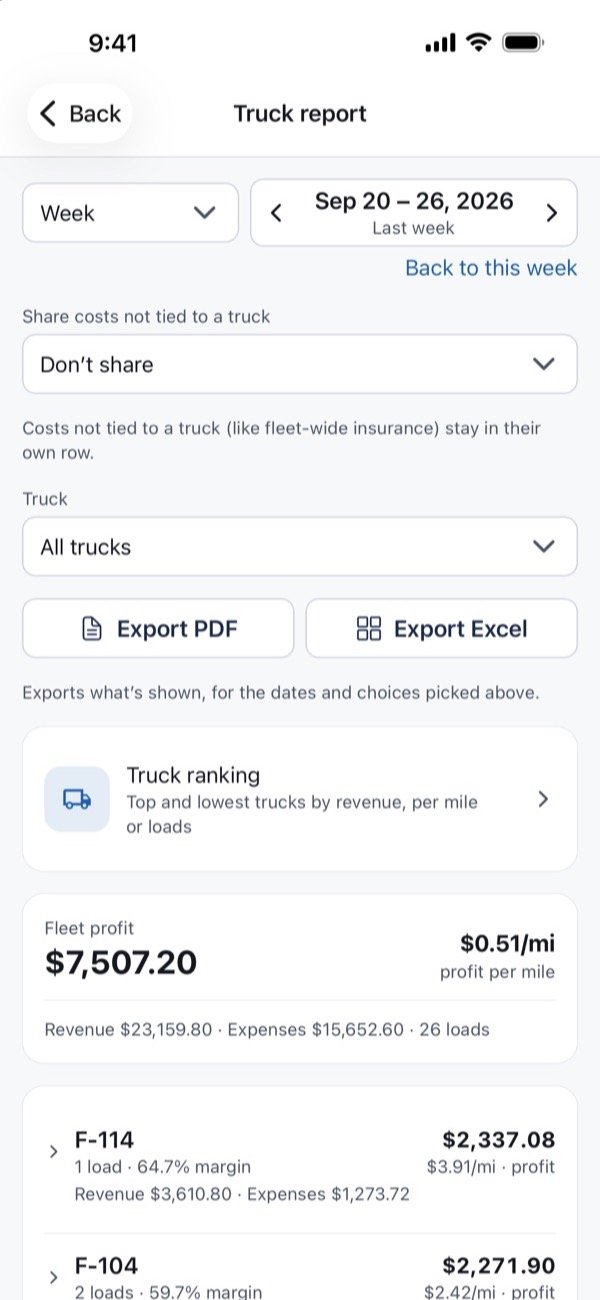
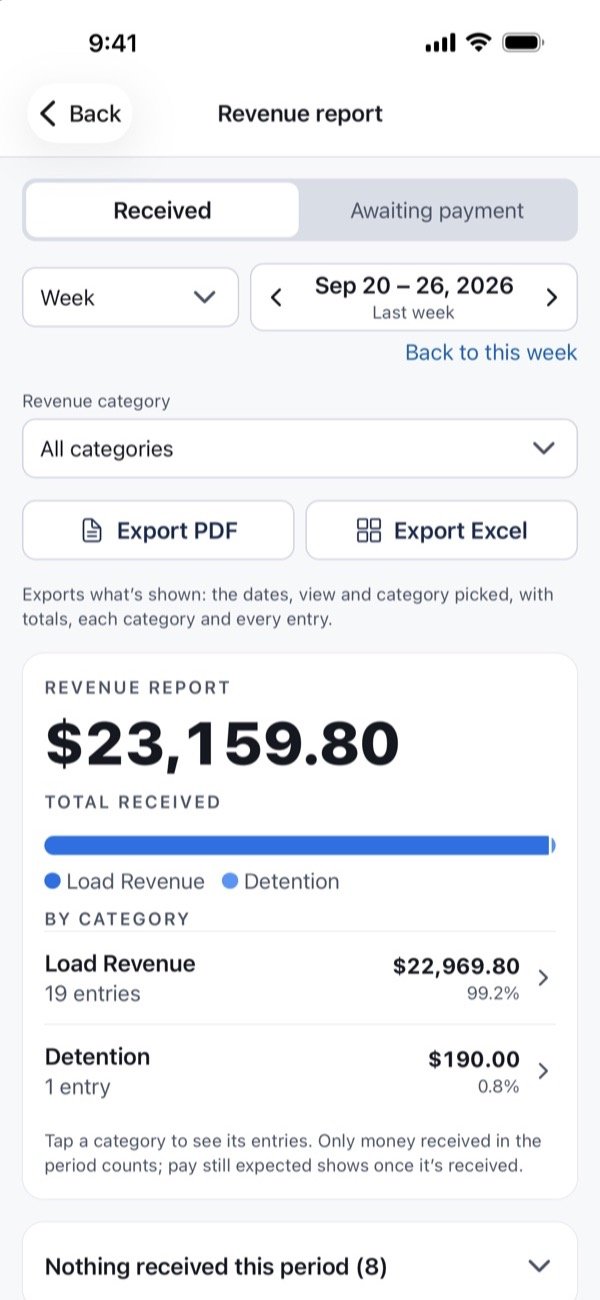
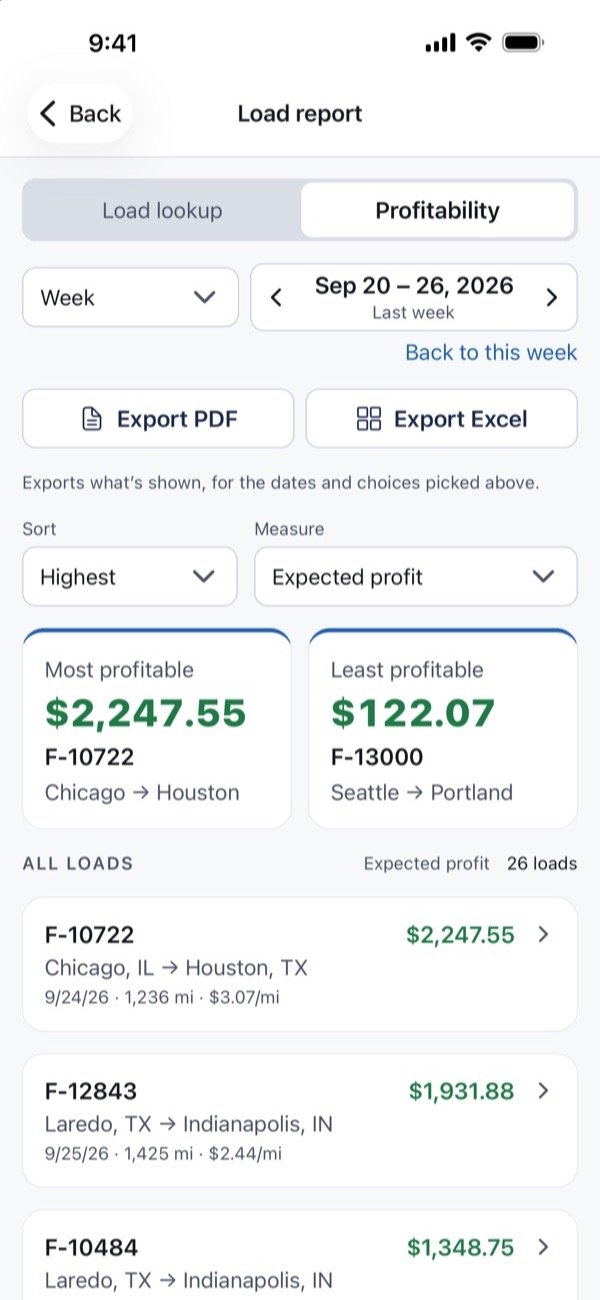
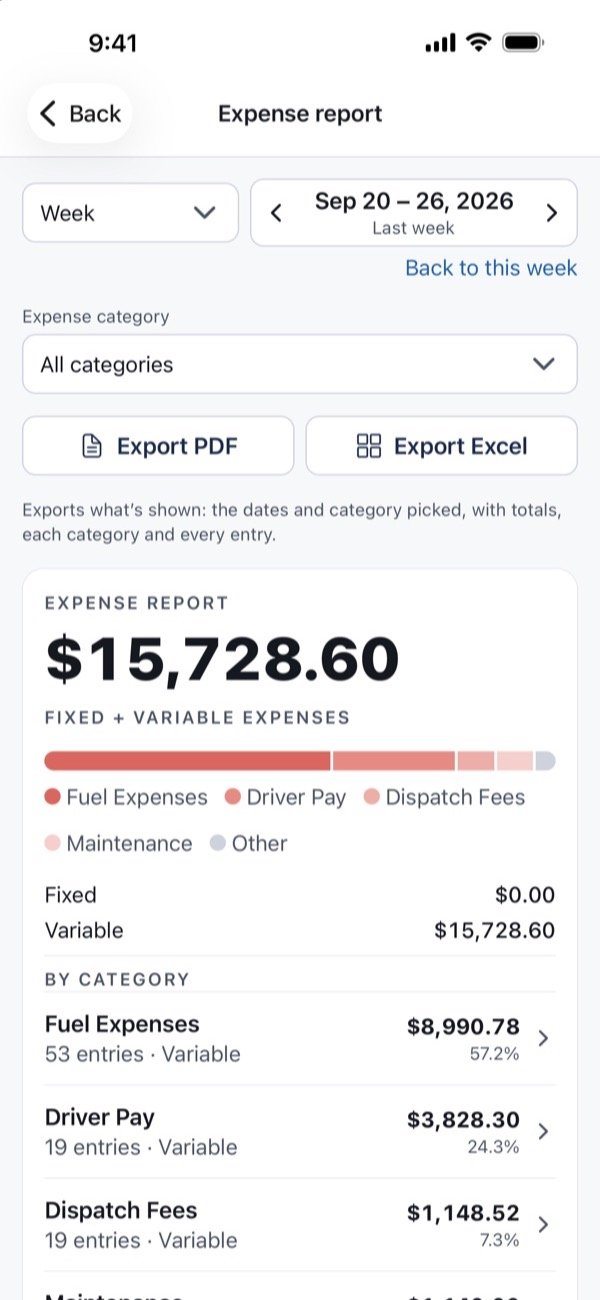
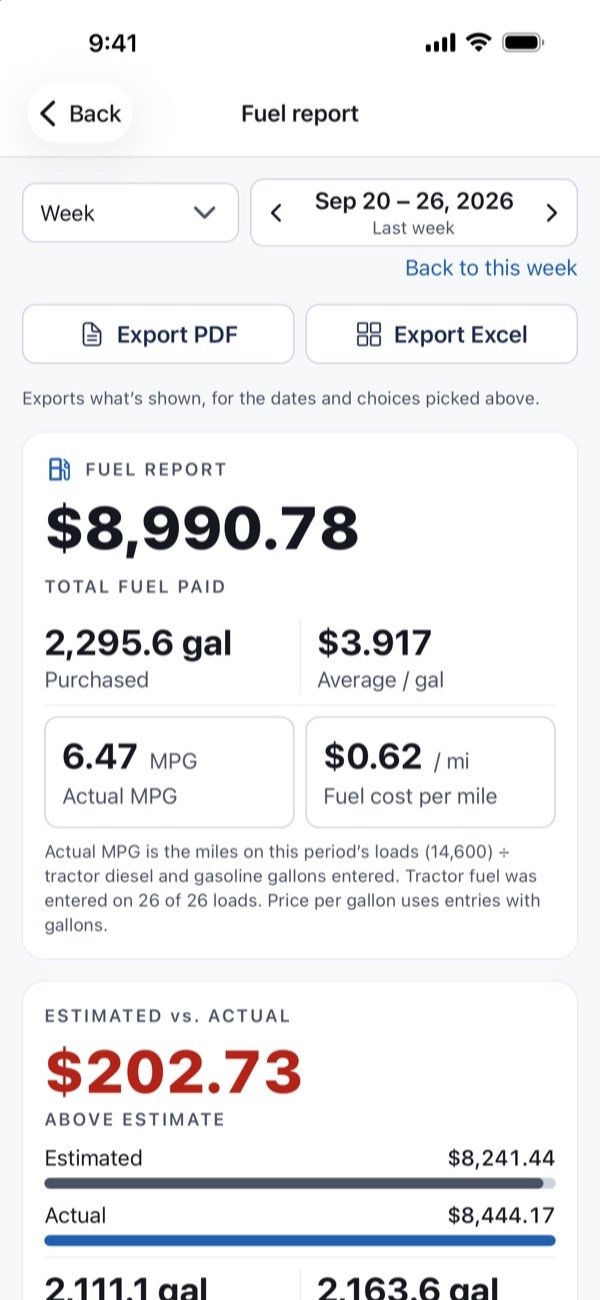
Tap any report to bring it to the front.
- Revenue
- Expenses
- P&L
- Loads
- Fuel
- Trucks Pro
- Drivers Pro
- Brokers Pro
- Earnings statements Pro
The numbers a trucking business runs on.
Cash basis, the way money actually moves: revenue on the day it's received, expenses on the day they're paid.
- Profit & LossRevenue, fixed and variable expenses, and net profit, with comparisons to earlier periods.
- DashboardRevenue, expenses and profit by week or month, cost breakdown, and per-mile figures.
- Load reportEach load's profit so far, expected profit, and profit per mile.
- Truck reportProfit, margin and cost per mile for every truck.
- Driver reportRevenue and driver pay for each driver, with rankings.
- Broker reportMoney received from each broker, and what's awaiting payment.
- Expense and RevenueEvery category, down to each entry.
- Fuel reportGallons, price per gallon, MPG, and fuel by state.
Privacy
Your books stay on your device.
Riggi keeps your records on your phone or tablet. We don't collect, see, sell or share what you enter.
- No account, no sign-in, no ads
- No tracking or third-party analytics
- Back up to your device or your own iCloud Drive or Google Drive
- You decide what to export and who to send it to
Try it free. Buy Basic once, or go Pro.
Try 10 loads and 20 entries free, with no time limit or automatic charge. Basic is a one-time purchase: bookkeeping for one truck. Pro is a yearly plan for multiple trucks, driver pay, all reports and earnings statements, and includes everything in Basic.
| Feature | Try it free$0free download Every feature, for 10 loads and 20 entries. No time limit or automatic charge. | Basic$24.99one-time purchase Bookkeeping for one truck. Yours to keep. | Pro$49.99a year Multiple trucks, driver pay, all reports and earnings statements. Includes everything in Basic. |
|---|---|---|---|
| Loads and entries | 10 loads, 20 entries | Unlimited | Unlimited |
| Trucks and drivers | Unlimited | 1 truck, 1 driver | Unlimited |
| Profit & Loss, Revenue, Expense, Load and Fuel reports | Included | Included | Included |
| Truck, Driver and Broker reports | Included | Not included | Included |
| Driver pay on each load and earnings statements | Included | Not included | Included |
| New features as they’re released | While trying | Not included | Included |
Every plan includes
- Dashboard
- PDF and Excel export
- Recurring costs
- Unlimited trailers
- Backup and restore
- Support and bug fixes
Trying it free counts every load and entry you add, including ones you later delete; each entry a recurring cost adds counts too. When the free allowance is used, your loads, entries and the five Basic reports stay viewable and exportable. Pro doesn’t need Basic first: after your first paid year of Pro, Basic is yours to keep, even if you cancel Pro. Basic gets support and bug fixes; new features come to Pro. Prices in US dollars. Purchases are made through the App Store on iPhone and iPad, and through Google Play on Android; Pro renews automatically each year unless canceled in your Apple account settings or in Google Play.
Trucking bookkeeping app: common questions
Who is RiggiTruckBooks for?
Owner-operators and small fleets who want to see what each load, truck and driver earns, without spreadsheets.
Does it work on iPad and Android?
Yes. Riggi runs on iPhone, iPad, and Android phones and tablets.
Do I need an account or internet connection?
No. There's no account, and your records are kept on your device. Exporting or backing up to iCloud Drive uses your connection when you choose to.
Does it work if I'm leased on to a carrier?
Yes. Set the percent the carrier or broker keeps, and Riggi counts only the share you receive as your revenue. If the percent changes, or you go independent, the change starts on a load date: earlier loads keep their share, and paid loads never change.
Can it handle carrier, dispatch and factoring fees?
Yes. The carrier's percentage comes off the rate before it reaches you. A dispatch fee can be taken from your share or from the full load rate. Factoring can be a percentage, a flat fee per load, or the amount from your statement, and each load can be factored or not. For a percentage, choose whether it's charged on the line haul, the invoice, or the invoice with reimbursements. Fees are worked out when you mark a load paid, and you can check them before saving.
Can Riggi handle driver pay? How does it work?
Yes. You set each driver's pay terms, and Riggi does the math from them. You review the driver pay when you mark a load paid, change it if needed, and save it. The amounts you confirm go on an earnings statement you can send.
- How drivers are paid: a percentage of the load (of the full rate or of your share), or by the mile with separate loaded and empty rates. You can also type a set amount on any load.
- Defaults and raises: set one default pay and give any driver their own. A new rate starts on a load date; earlier and paid loads keep theirs.
- Earnings statements: pick a driver and a pay period, then add reimbursements or deductions (like a fuel advance), a check number and a memo. Each statement gets a stub number and is saved, so you can reprint it anytime.
- Sending: send the statement PDF by email, text or both, with any photos or files attached (fuel receipts, BOLs, settlement sheets). It goes out from your own Mail or Messages, only when you tap Send. You can also save the PDF to Files or print it.
If you drive your own truck, your loads get no driver pay, since what you earn as the owner is your profit. Driver pay and earnings statements are part of Pro, and open while you try Riggi free.
Does Riggi do IFTA reporting?
No. Riggi doesn't calculate IFTA taxes or track miles by state. It can help you get ready: record each fuel purchase with its state and gallons, and the Fuel report shows fuel by state, with gallons, amount paid and price per gallon, and by fuel type, so tractor fuel is apart from reefer fuel. Pick any quarter and export it as PDF or Excel for your IFTA filing or your accountant.
Can I try it before I buy?
Yes. Riggi is a free download: try every feature with 10 loads and 20 entries you add yourself (each entry a recurring cost adds counts too). There's no time limit and no automatic charge. Deleting a load or entry doesn't give it back. After that, your loads, entries and the Basic reports stay viewable and you can export them; Basic or Pro lets you keep adding.
What's the difference between Basic and Pro?
Basic is a one-time $24.99 purchase: bookkeeping for one truck and one driver, with unlimited trailers, the Dashboard, the Profit & Loss, Revenue, Expense, Load and Fuel reports, recurring costs, export and backup. Pro is $49.99 a year and includes everything in Basic, plus unlimited trucks and drivers, driver pay calculated on each load, the Broker, Driver and Truck reports, and earnings statements you can send. You don't need Basic first: after your first paid year of Pro, Basic is yours to keep, even if you cancel Pro.
Can I give my numbers to my accountant?
Every report exports as PDF or Excel with totals and every entry. Riggi isn't tax or accounting advice; figures are based on the data you enter.
RiggiTruckBooks by EverReachCraft doesn't provide financial, tax, accounting or legal advice. Figures are based on the data you enter; verify all amounts. Screens and reports shown use sample data.