
Web Apps
Foster Care Payments App – Placements, Rates & Foster Parent Statements
A web app for foster care agencies: placements, levels of care and rates, respite, T3C add-ons and foster parent statements emailed as PDFs. Set up in your agency’s own Google account and customized for your agency.
Price: contact us for a quote.
Screens show a made-up agency, Sunrise Family Services, with made-up names.
About this service
Foster care payment software, set up for your agency
The Foster Care Payments App keeps a child placing agency’s placements, levels of care, rates and foster parent statements in one place. It runs in a web browser and lives in your agency’s own Google account: one Google Sheet per company, with the app inside it. Staff open a bookmarked link; they don’t work in the Sheet itself.
Each agency’s setup is customized: your levels of care and rates, your pay periods, and your agency’s name, address and logo on statements. Pricing is by quote, through our contact page.
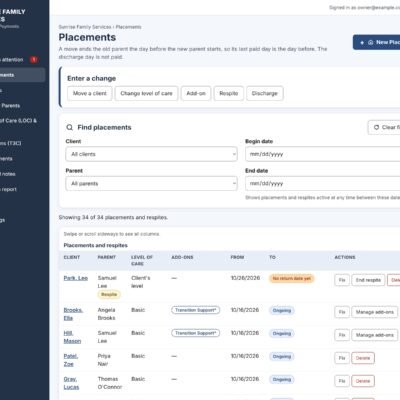
Placements, moves and discharges
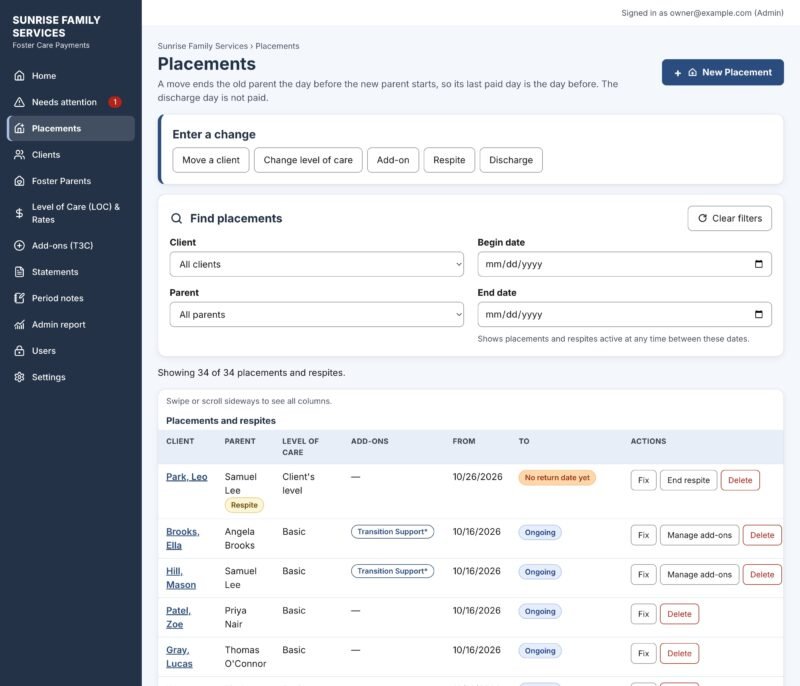
- New placement, move, change of level of care and discharge, each from a date.
- As set up, a move ends the old foster parent’s pay the day before the new placement starts, and the discharge day is not paid. A different rule is a customization.
- Clients and foster parents are picked from lists, and records can be archived and restored.
Levels of care and rates by effective date
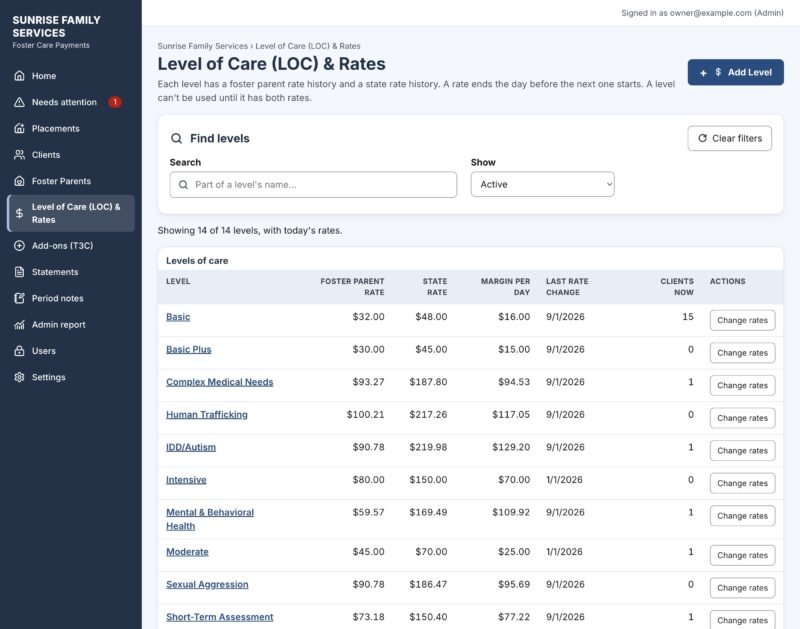
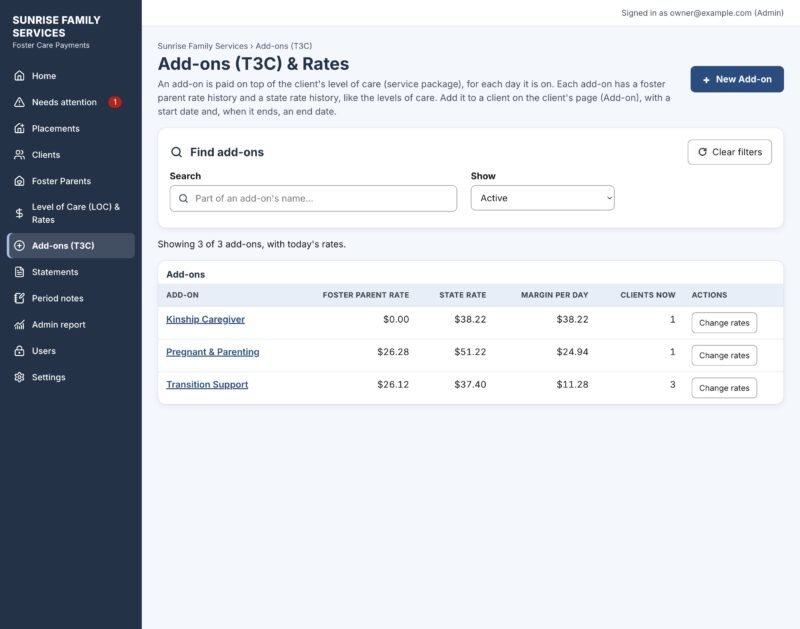
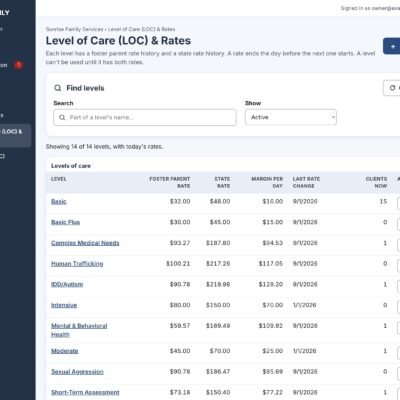
- Each level of care has a foster parent rate history and a state rate history.
- Rate changes can be entered ahead of time with a future effective date.
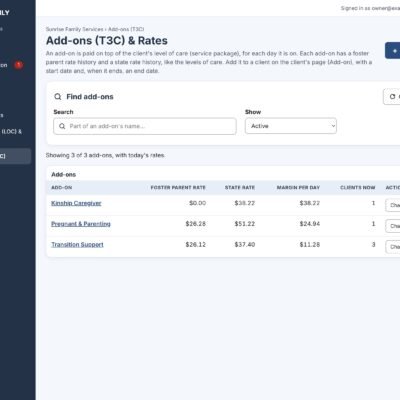
- T3C add-ons are calculated on top of the level, each with its own foster parent and state rate histories and its own start and end dates for each client.
Respite
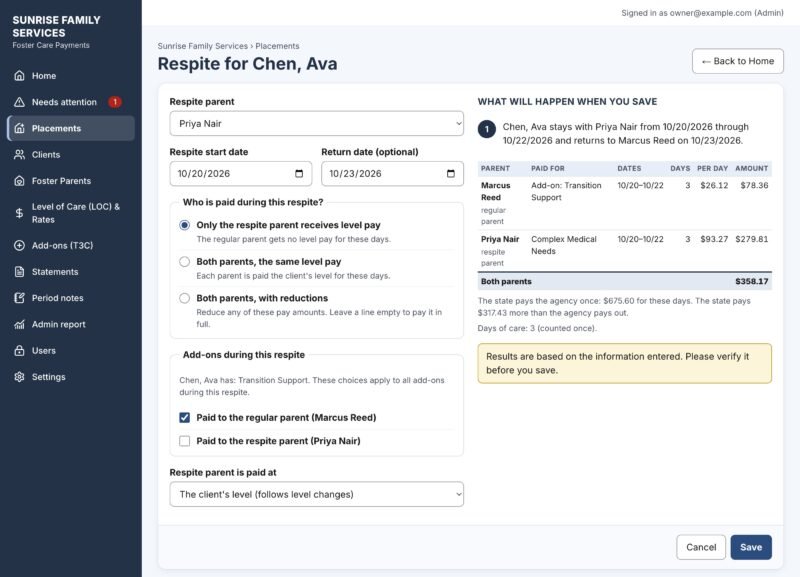
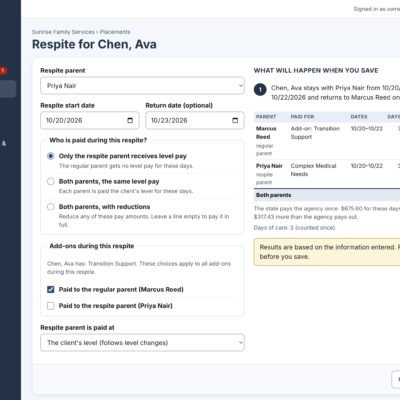
- Each respite records who is paid: only the respite parent, both parents at the same level pay, or (when turned on in Settings) both with reductions.
- It also records whether add-ons go to the regular parent, the respite parent or both, and the level the respite parent is paid at.
- The screen shows the amounts for each parent before you save. A respite ends with a return date, or the client can stay with the respite parent as a new placement.
Foster parent statements, emailed as PDFs
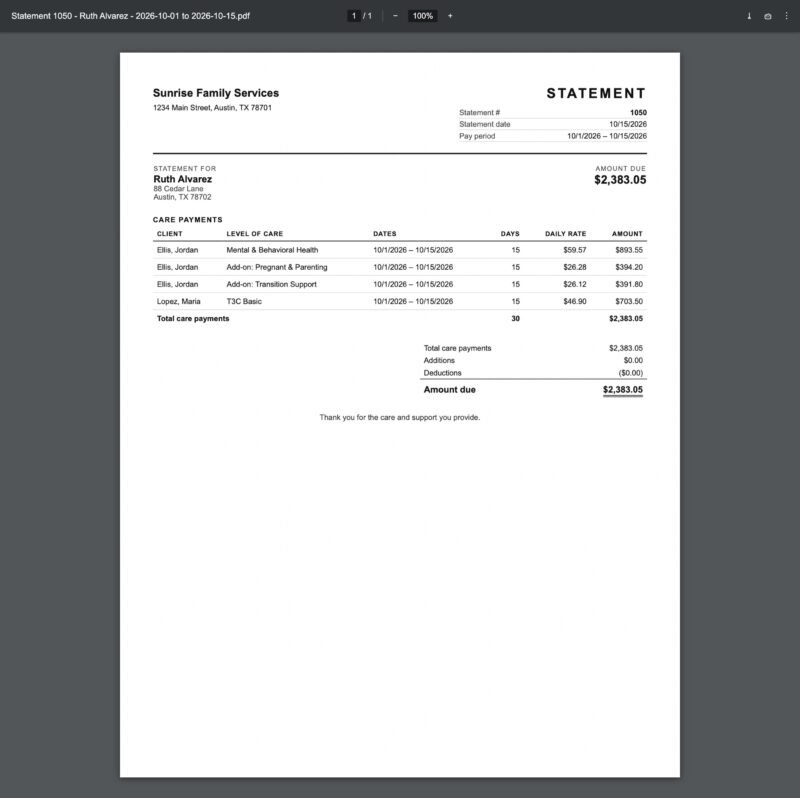
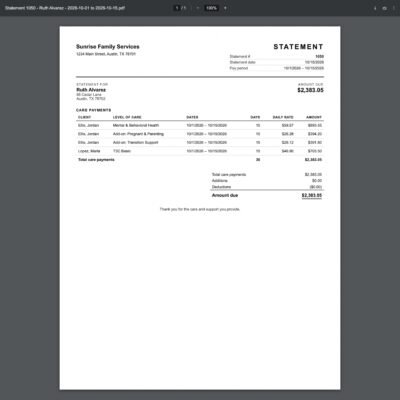
- For a chosen foster parent and dates (twice-a-month or monthly pay periods by default): care payments, then additions and deductions, then the amount due.
- A balance owed to the agency is shown and can be deducted later.
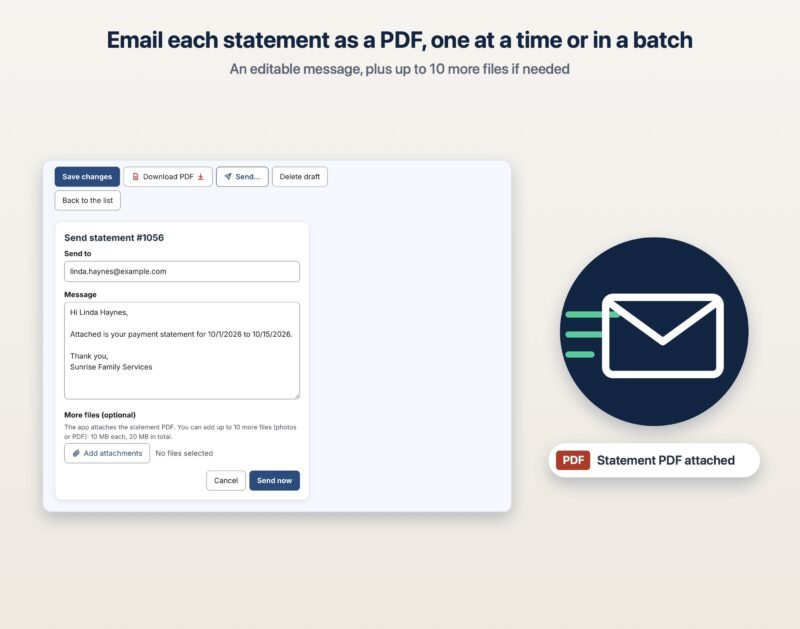
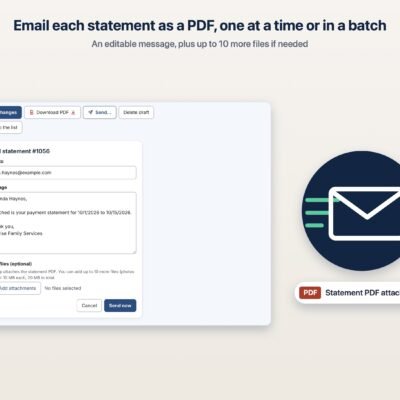
- Statements are emailed as PDFs from your agency’s Google account, and a copy is kept when sent.
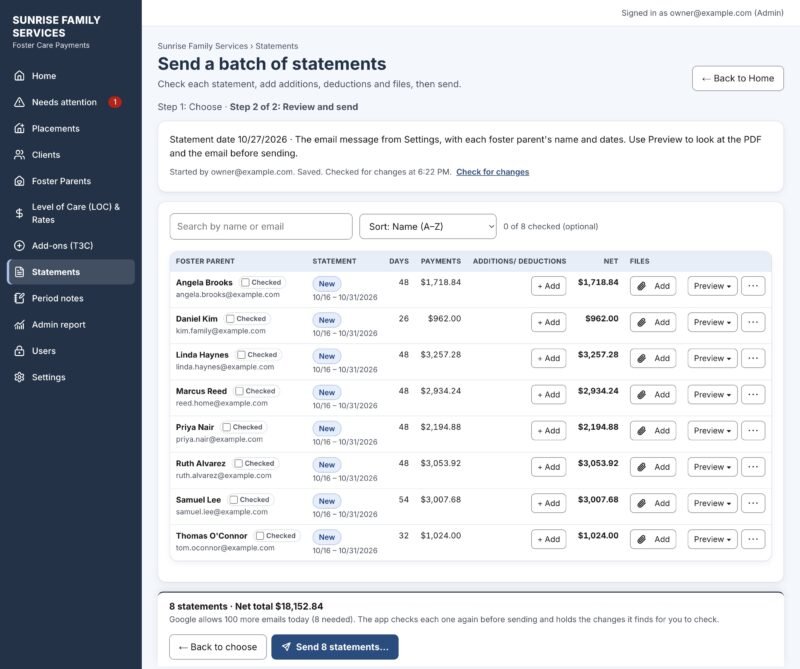
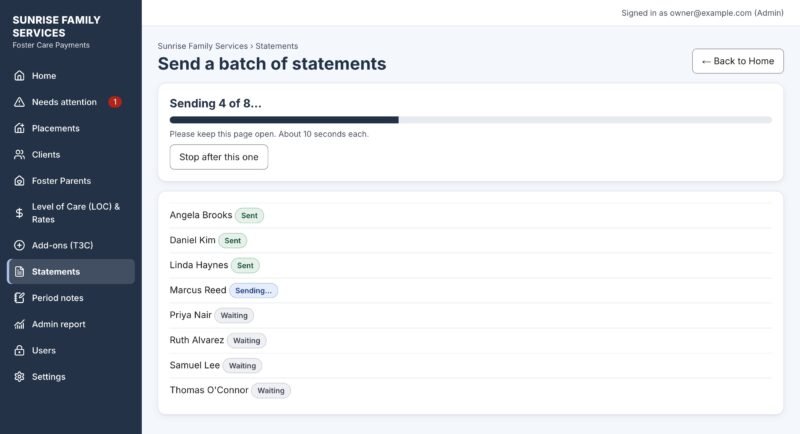
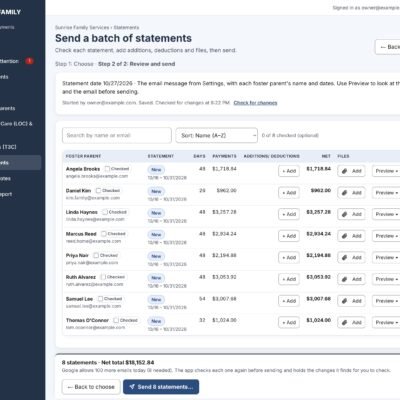
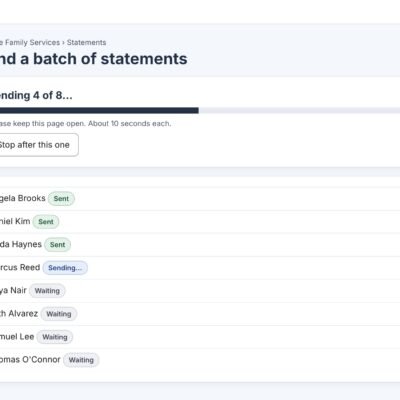
- Batch statements (Admins): pick the parents and dates, review each statement, then send. The batch is saved along the way.
- Period notes for a parent and dates, printed on the statement when you choose.
Admin report and Home
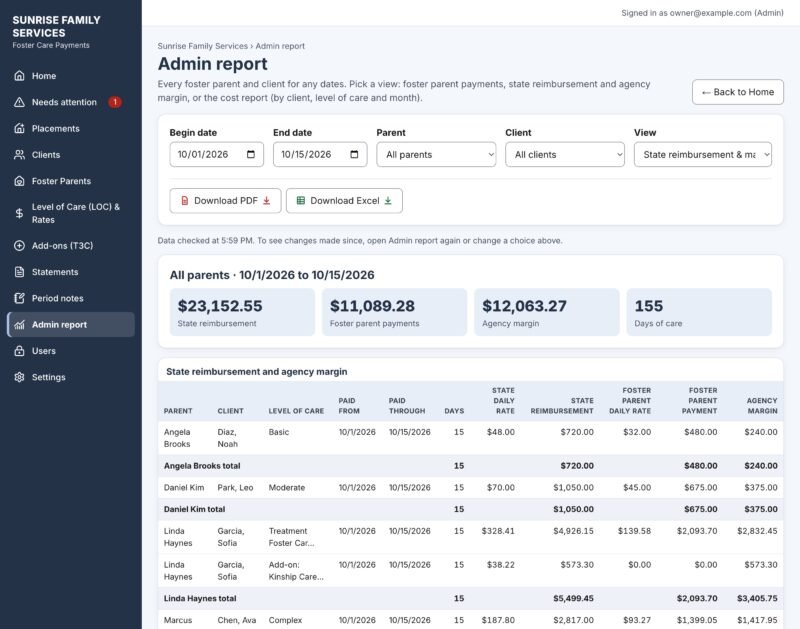
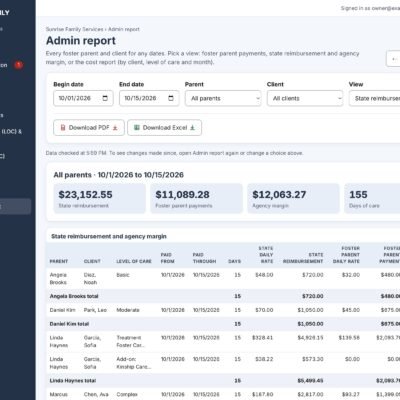
- Foster parent payments; state reimbursement and agency margin (the difference, before the agency’s other costs), calculated from the rates and dates entered; a cost report by client, level of care and month. Download as PDF or Excel.
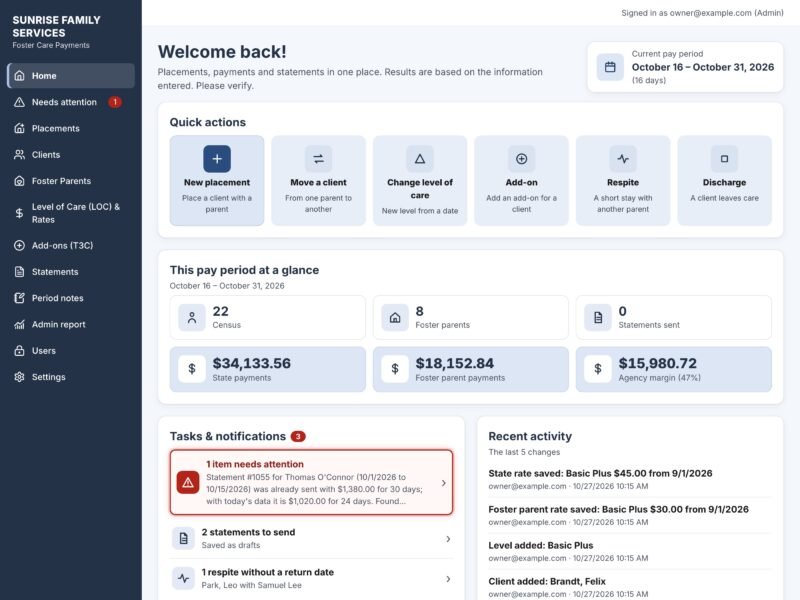
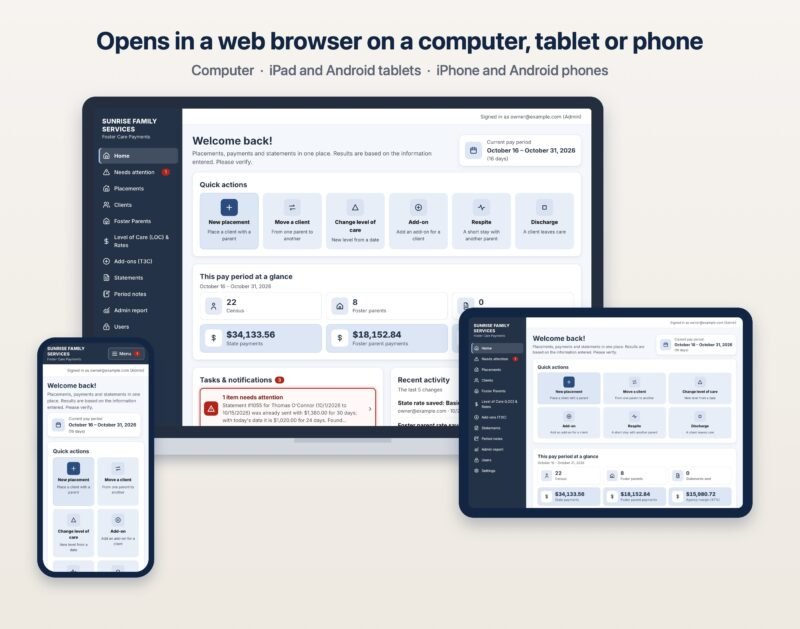
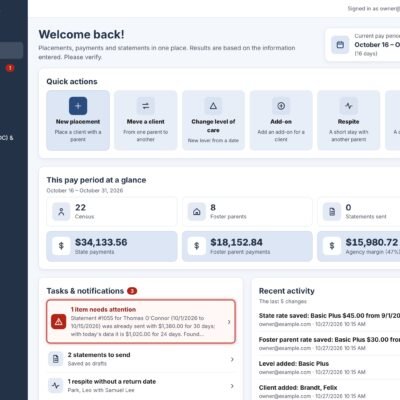
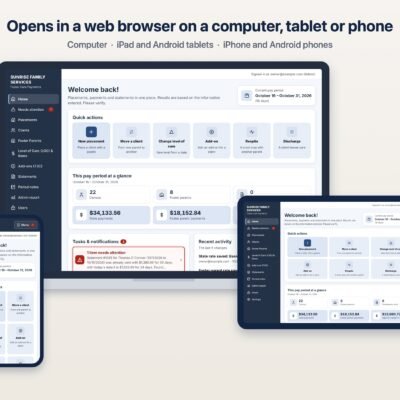
- Home shows the pay period at a glance (census, state payments, foster parent payments, agency margin), quick actions, tasks and recent activity.
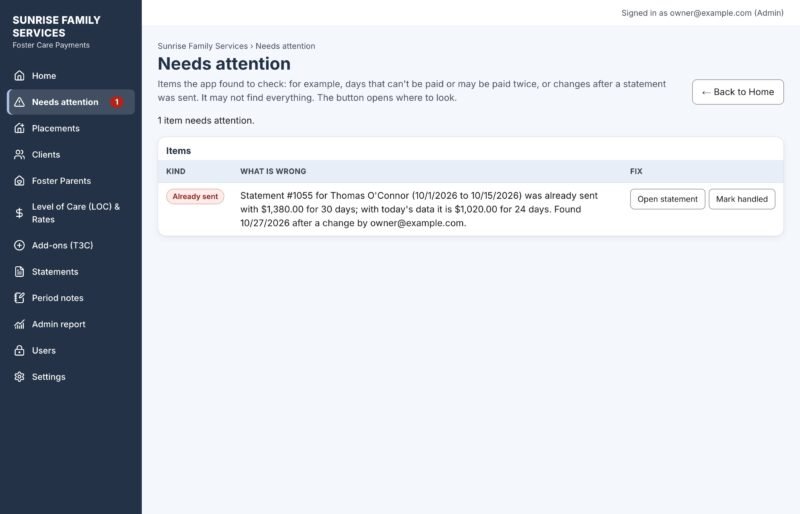
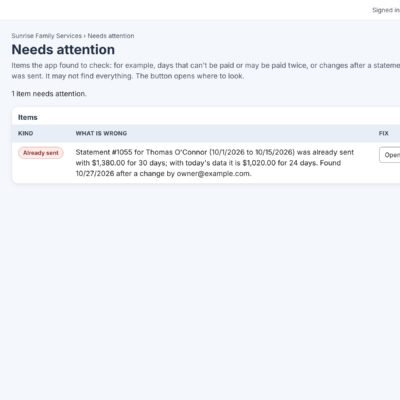
- Needs attention lists items the app found to check, such as days that can’t be paid with the rates entered, days that may be paid twice, or changes made after a statement was sent. The screen notes it may not find everything.
Users and roles
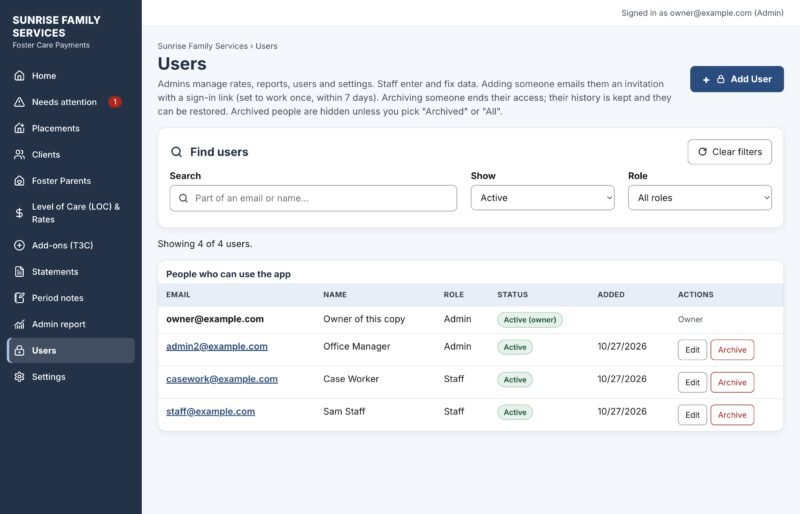
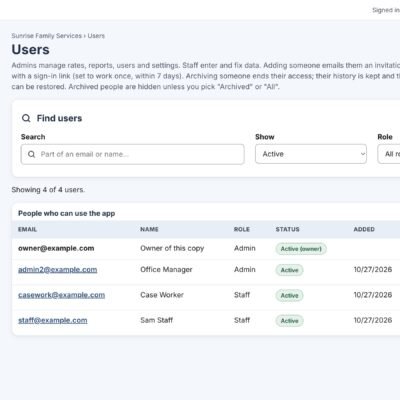
- People sign in with an email address on the app’s Users list.
- Admin: rates, reports, users and settings. Staff: enter and fix placements and records. Staff access to statements and notes is a setting.
- The owner of the copy signs in with Google; other users get a one-time emailed sign-in link, and new users get an invitation link.
Setup and customization
- The app is set up in your agency’s Google account. Your agency’s data stays there, and your agency controls sharing and backups.
- Existing records from an Excel tracker can be loaded at setup (a service we do, quoted separately).
- Changes for your agency’s own rules are quoted before work starts.
Good to know
- Results are based on the information entered; the app asks users to verify them. It calculates and sends statements. It does not pay anyone, is not accounting software, and is not accounting, tax, legal or billing advice.
- It runs on Google’s services and within Google’s limits, such as daily email limits. Free Gmail accounts show Google’s “created by a Google Apps Script user” banner.
- Built for a computer browser first and usable on a tablet. Designed and tested for about 10 people using it at the same time.
- It does not connect to state portals or billing software.
Read more: Foster care payment tracking for child placing agencies.
Reviews
There are no reviews yet.