

General information only. This article isn’t accounting, tax, legal or financial advice, and reading it doesn’t create a CPA–client relationship. Readers use it at their own discretion.
Every owner-operator keeps books, and most choose between two tools: accounting software or a spreadsheet. Each has real strengths and real costs. This guide covers both for trucking, plus the options in between: trucking spreadsheet templates and a trucking bookkeeping app.
Accounting Software
Accounting software means programs like QuickBooks or Xero, sold by monthly or yearly subscription and built to cover a small business’s whole set of books.
What Software Does Well
- Bank and card connections. Transactions download from linked accounts and can be categorized automatically, which cuts down typing and typos.
- Invoicing. Invoices go out from the software, and it shows which ones are paid, viewed or overdue. Many programs accept online payments.
- Reports on demand. Profit and loss, expense breakdowns and other reports come from a menu.
- Tax time. A year of categorized transactions gives the tax preparer organized totals.
Where Software Falls Short for Trucking
- Ongoing cost. The subscription is paid every month or year for as long as the software is used.
- Setup and learning. The software is built for many kinds of businesses. Trucking categories like lumper fees, per diem and IFTA fuel by state are set up by the user.
- Features a trucker doesn’t use. Inventory, multi-currency and payroll modules come with many plans.
- A fixed structure. Categories can be changed, but the layout and the way loads and miles are viewed are set by the software.
Spreadsheets
Excel and Google Sheets let the owner-operator build the books from scratch. Google Sheets is free with a Google account; Excel comes with Microsoft 365 or a one-time Office purchase.
What Spreadsheets Do Well
- Low cost. No accounting subscription.
- Full control. Columns, formulas and layout follow how the owner-operator works, for example deadhead miles per trip or revenue per mile next to each load.
- Transparency. Every formula is visible, so it’s clear how each total is calculated.
- Close contact with the numbers. Entering each fuel receipt and repair bill by hand keeps the owner-operator aware of where the money goes.
Where Spreadsheets Fall Short
- Time. Every fuel stop, toll and payment is typed in. Falling behind means catching up later.
- Errors. A typo ($560 instead of $650) or a broken formula changes the totals, and it can go unnoticed for months.
- No bank connection. A spreadsheet doesn’t pull transactions from the bank or send invoice reminders on its own.
- Reports built by hand. A profit and loss statement or an expense report takes formula work to set up.
The Options in Between
Trucking Spreadsheet Templates
Trucking accounting spreadsheets from EverReachCraft are Excel and Google Sheets templates with trucking categories, formulas and reports already built, designed by a licensed CPA. Each is a one-time purchase. For example, the Full Suite Trucking Accounting & Tax with IFTA Reporting ($79.99) includes tax deductions, financial and weekly dashboards, load profitability and estimated tax calculators, and an IFTA summary. Entries are still typed in, but the formulas and reports are done.
A Trucking Bookkeeping App
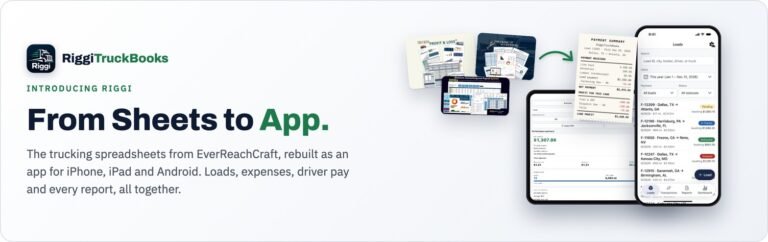
RiggiTruckBooks is EverReachCraft’s app for iPhone, iPad and Android (on the App Store and Google Play). It records loads, expenses and fuel on the device, and makes Profit & Loss, Revenue, Expense, Load and Fuel reports that export to PDF and Excel. It is free to try; Basic is $24.99 one time and Pro is $49.99 a year.
Side by Side
| Feature | Accounting software | Spreadsheet from scratch | Trucking template | RiggiTruckBooks app |
|---|---|---|---|---|
| Cost | Subscription | Free or low cost | One-time price | Free to try; one-time or yearly plan |
| Data entry | Bank feeds plus manual | Manual | Manual | Manual, on a phone or tablet |
| Trucking categories | Set up by the user | Built by the user | Built in | Built in |
| Reports | From a menu | Built by the user | Built in | Built in |
| Bank connection | Yes | No | No | No |
Why general accounting software and owner-operators often don’t fit: Why QuickBooks Doesn’t Fit Owner-Operators.