
General information only. This article isn’t accounting, tax, legal or financial advice, and reading it doesn’t create a CPA–client relationship. Readers use it at their own discretion.
Truckers already have enough to keep track of. Bookkeeping is one more thing on the list.
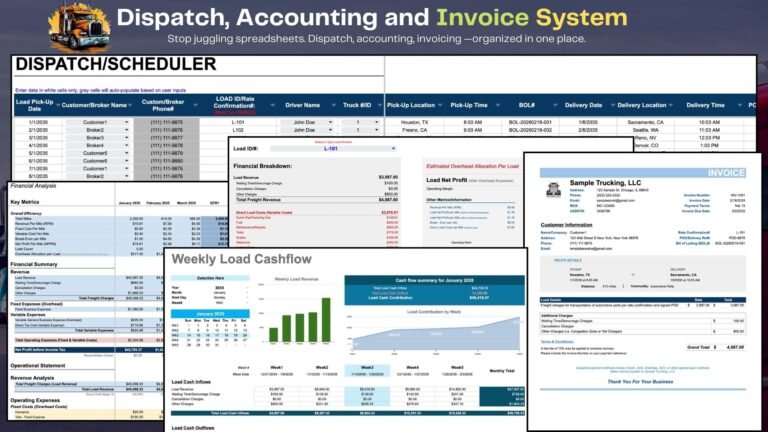
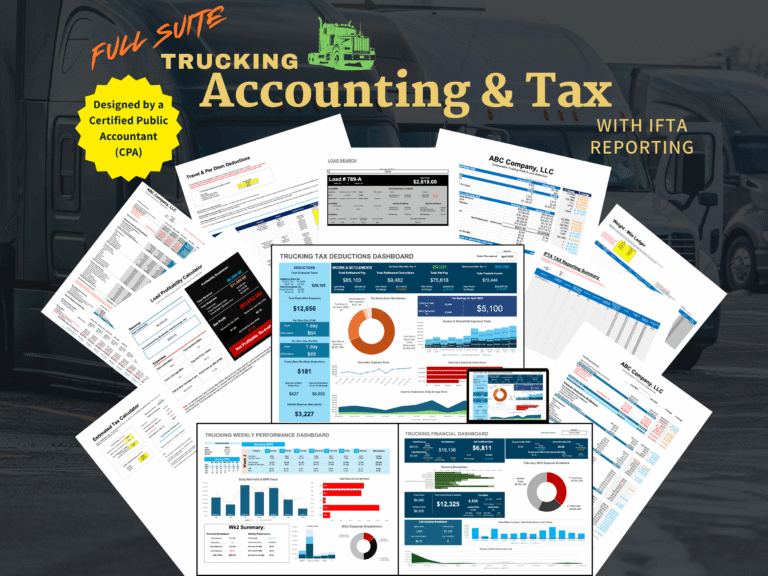
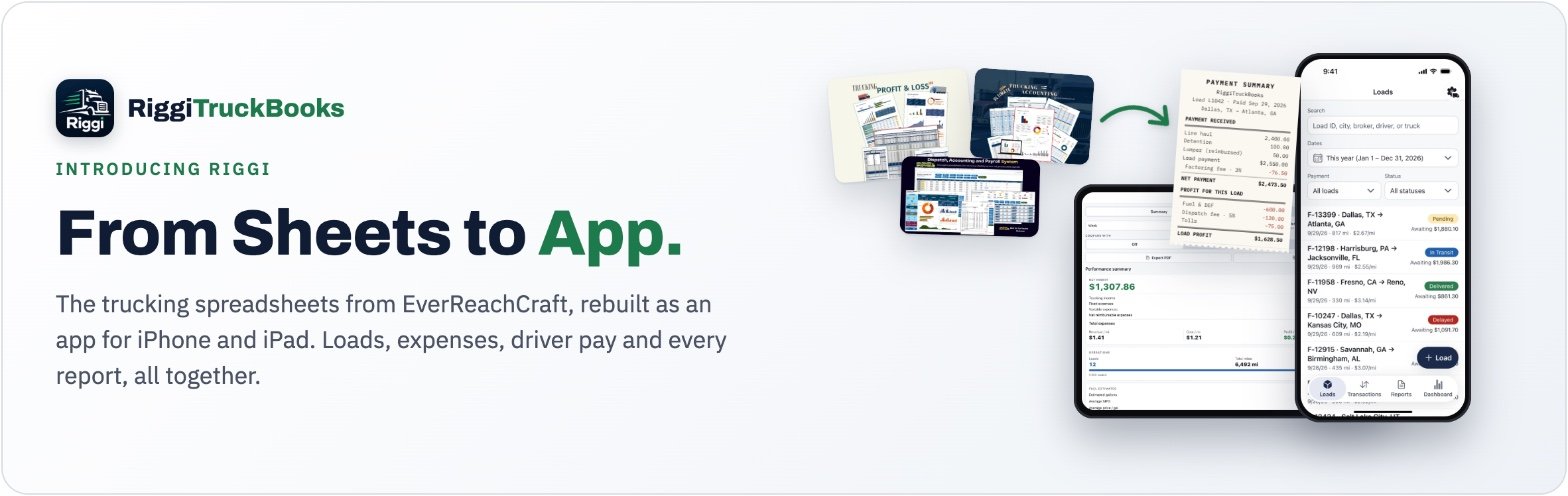
Riggi is a trucking bookkeeping app built specifically for owner-operators and small fleets. It brings the core tools from EverReachCraft’s trucking spreadsheets into a simple iPhone and iPad app, so you can track loads, income, expenses, fuel, and more without digging through receipts, notebooks, or oversized spreadsheets.
It starts with the load
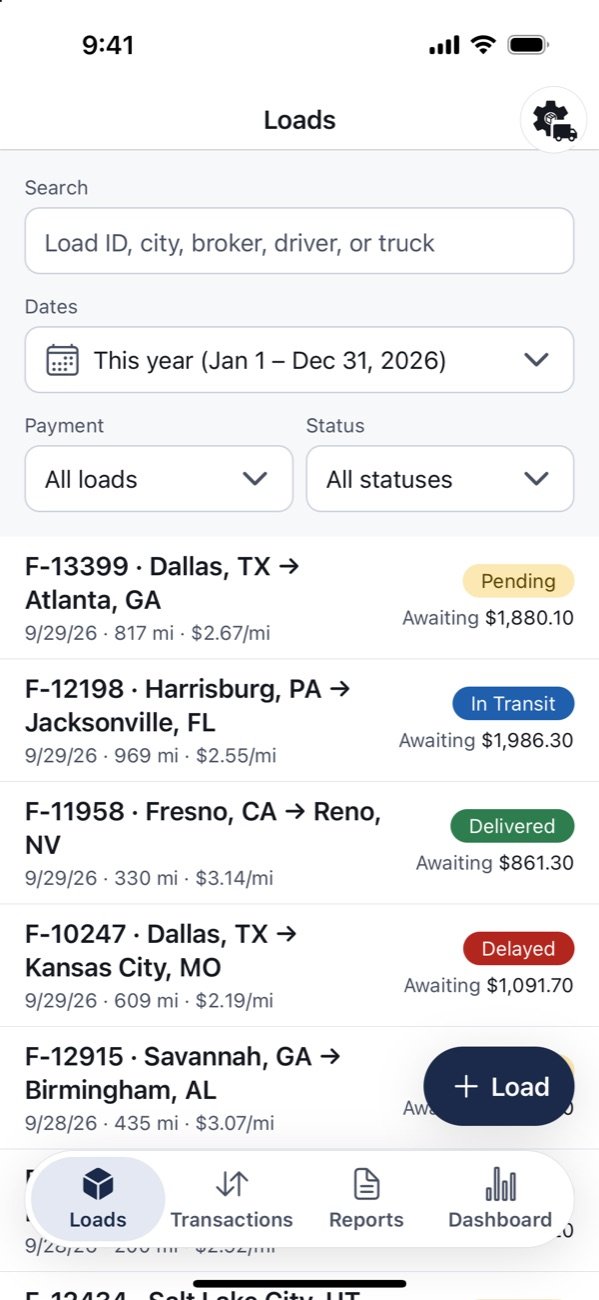
Everything in Riggi hangs off a load. Tap + Load and enter what’s on the rate con: load number, rate, origin and destination, loaded and empty miles, broker, driver and truck. Each load gets a status. Pending, In Transit, Delivered, Delayed and Canceled come built in, and you can add your own.
The Loads list shows every load with its status, route, miles, rate per mile, and whether it’s been paid or is still awaiting payment. Search finds a load by ID, city, broker, driver or truck.
Marking a load paid does the math
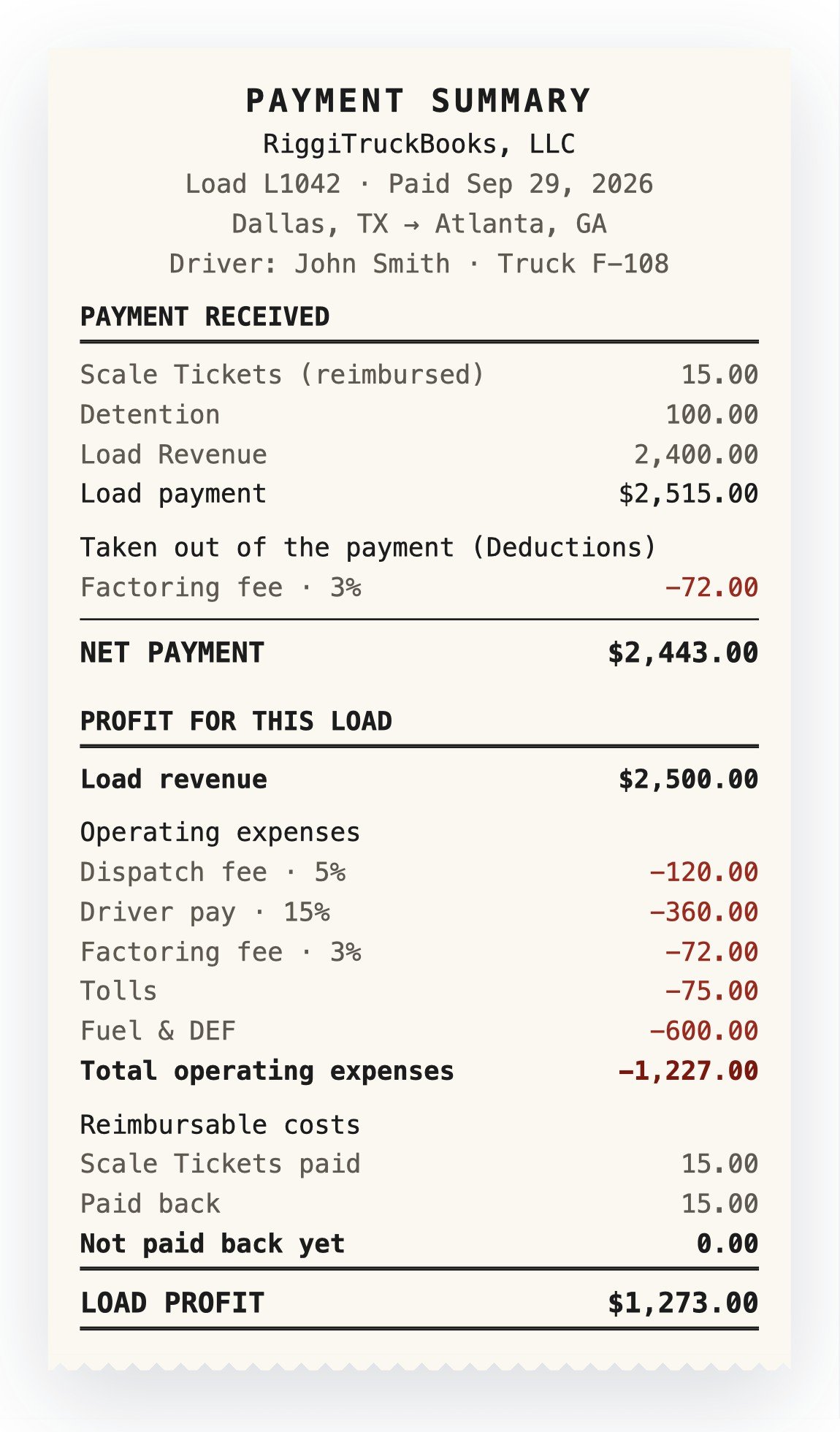
This is the part that took the most time in the spreadsheets. A load pays $2,400 in line haul, $100 in detention, and the broker pays back a $15 scale ticket. The load is factored at 3%, a dispatcher takes 5% of the line haul, and the driver earns 15% of the rate. Tolls ran $75 and fuel $600.
In Riggi you mark the load paid and enter what came in. The factoring fee, dispatch fee and driver pay are worked out from the rates in your settings. The Payment Summary then shows the whole load on one screen:
- Load payment: $2,515.00
- Factoring fee taken out (3%): $72.00
- Net payment: $2,443.00
- Operating expenses: $1,227.00 (dispatch $120, driver pay $360, factoring $72, tolls $75, fuel $600)
- Load profit: $1,273.00
The scale ticket is kept apart from operating expenses. It shows as paid and paid back, so a reimbursement isn’t counted as revenue.
Each fee rate can change from a date forward. A load keeps the rates it was made with, so a new factoring rate next month doesn’t rewrite last month’s paid loads.
Expenses, on a load or for the business
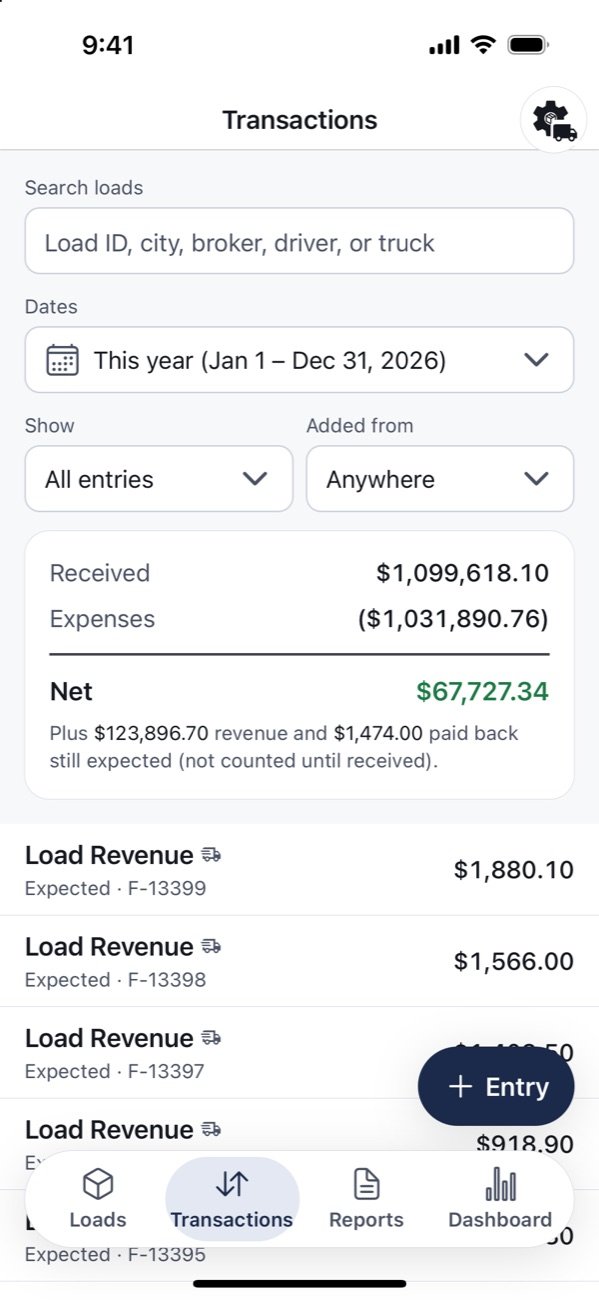
Fuel, tolls and lumpers usually belong to a load. Insurance, the truck payment and the phone bill belong to the business. Riggi takes both: add an expense from the load’s page, or from + Entry on its own.
Costs that come every month, like insurance, can be set up once as recurring costs. Riggi adds each one when it comes due, or reminds you first, whichever you pick.
The Transactions tab lists every dollar in and out with its date, category and load. It can show only revenue, money received, money still expected, expenses, or entries not tied to a load, and search finds entries by load ID, city, broker, driver or truck.
Reports for trucking accounting
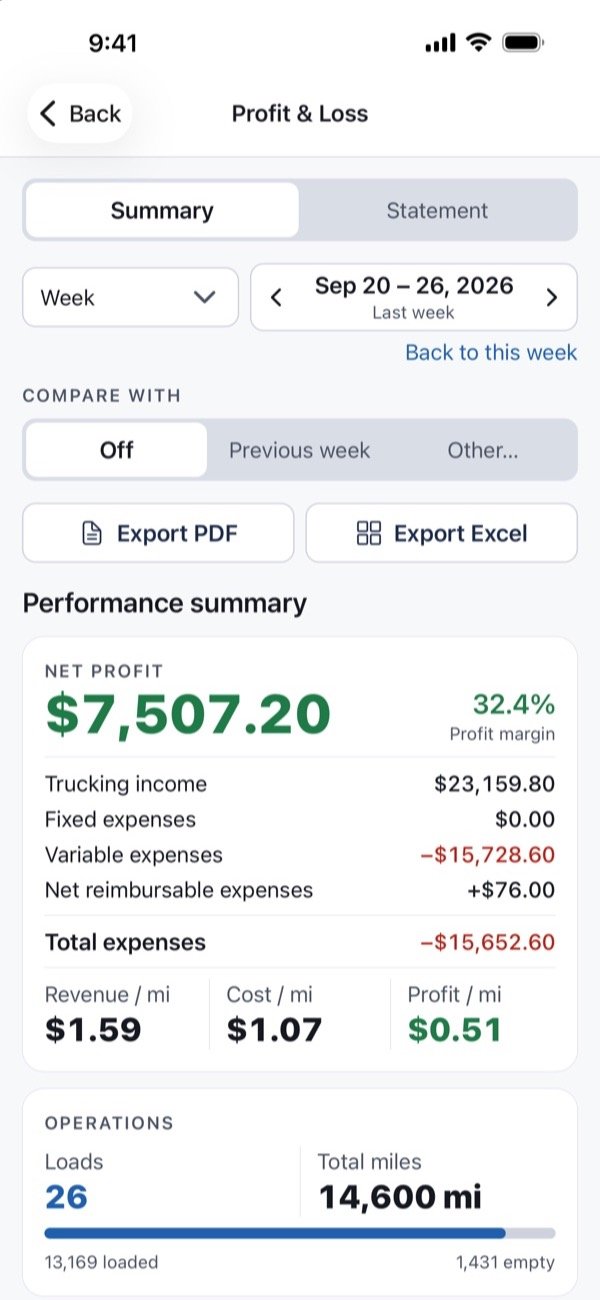
Riggi counts money on the date it’s received or paid (cash basis), and counts loads and miles by load date. Every report follows those two rules, so the numbers agree from one report to the next.
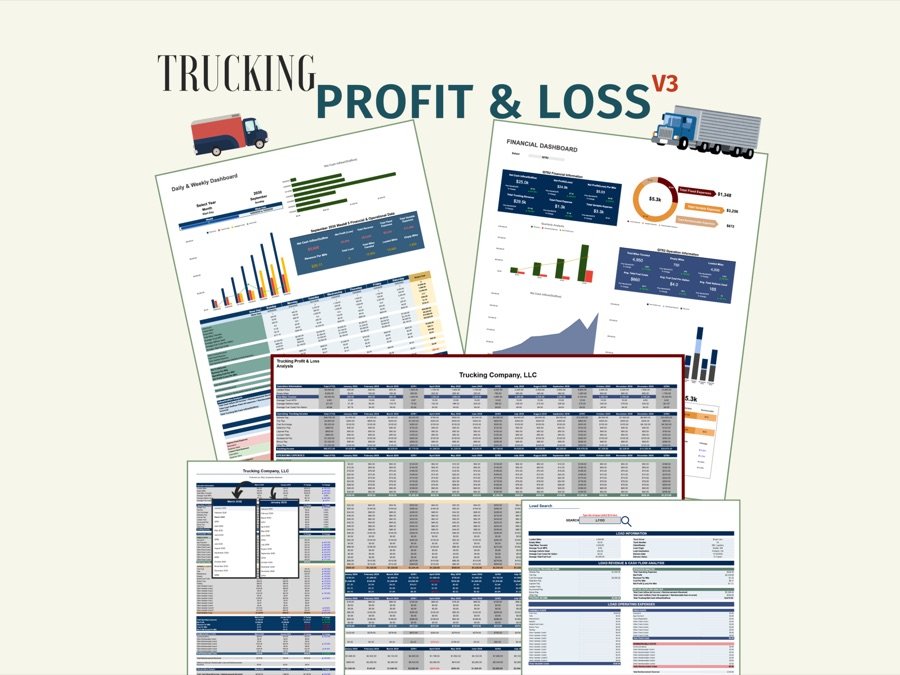
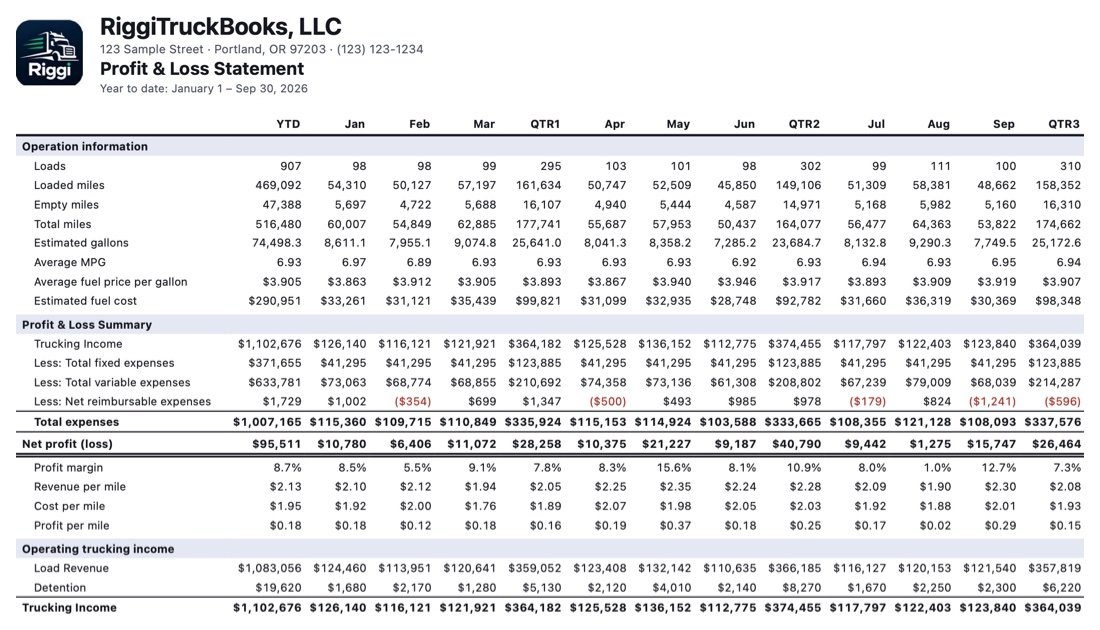
Profit & Loss. Pick a week, month, quarter or year. The summary shows net profit, margin, revenue and cost per mile, and how the period compares with the one before. The full statement lays the year out by month and quarter, with operation information (loads, loaded and empty miles, estimated gallons, average MPG) above income and expenses, the same layout as the EverReachCraft P&L spreadsheet.
Revenue and Expense reports. Totals by category, with every entry behind them one tap away. The Expense report keeps fixed, variable and reimbursable costs apart.
Load report. Look up any load, or rank loads by expected profit, profit so far, profit per mile, rate or rate per mile. The summary shows total miles, deadhead percentage, average rate per load, and what’s still awaiting payment.
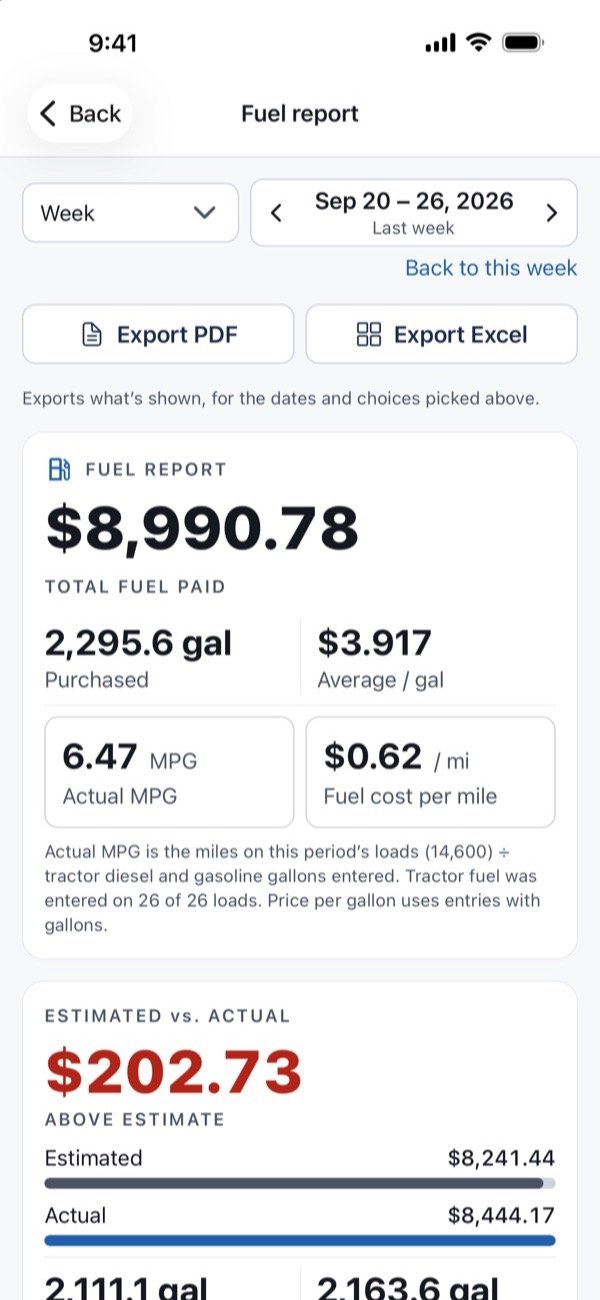
Fuel report. Fuel paid, gallons, price per gallon and MPG, estimated against actual, and gallons by state.
Every report exports to PDF and Excel. The PDF carries your company name, address and logo, so it can go straight to an accountant or a lender.
The Dashboard
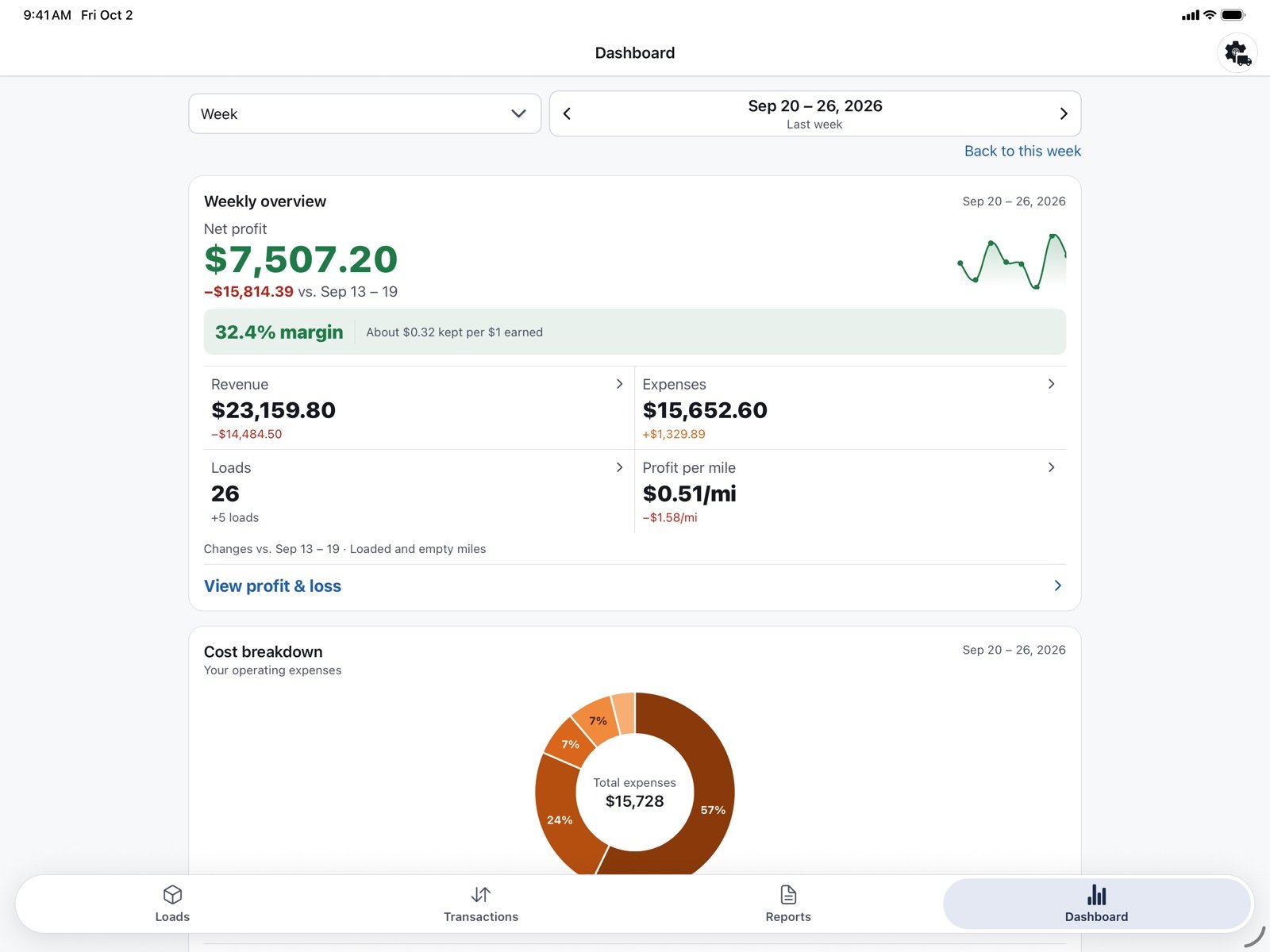
The Dashboard puts the week, month or year on one screen: net profit and margin, revenue and expenses, number of loads, profit per mile, and a breakdown of where the money went, with a line like “Fuel Expenses is the largest expense.” It also shows the most and least profitable load of the period, and the total still awaiting payment.
Small fleets: trucks, drivers and pay stubs
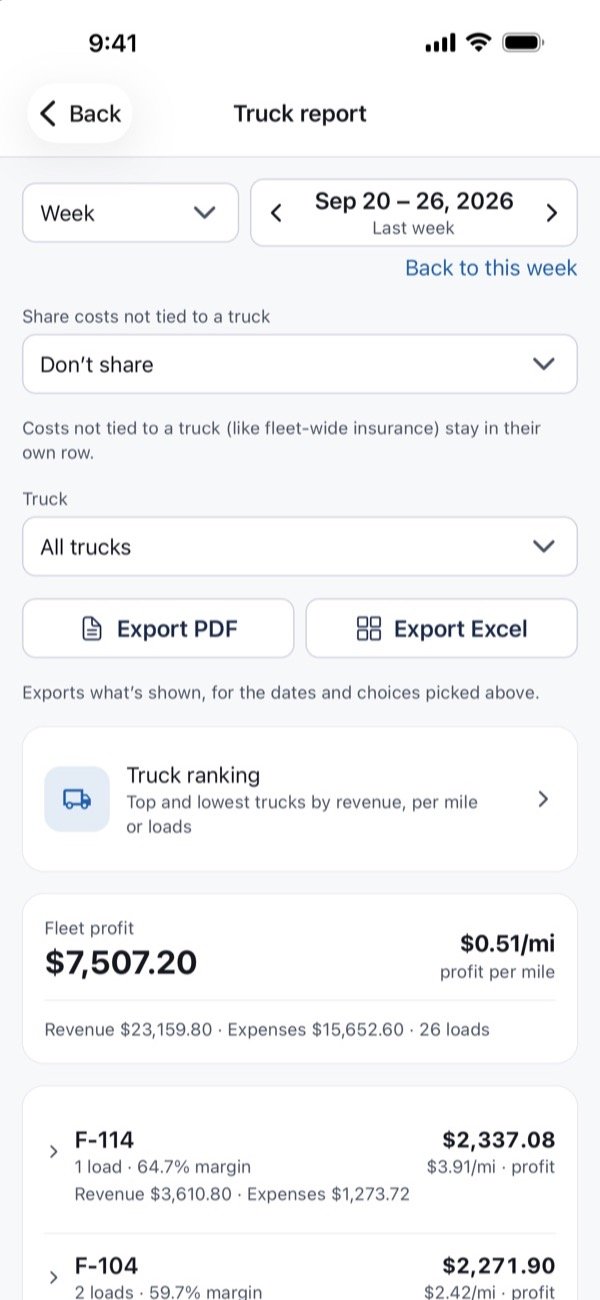
With more than one truck, Riggi Pro adds reports by truck, driver and broker.
- The Truck report shows revenue, expenses and profit per truck. Costs that aren’t tied to a truck, like insurance, can stay separate or be shared out by days in service or by miles.
- The Driver report shows revenue and driver pay per driver.
- The Broker report ranks brokers by money received, by rate per mile, or by number of loads.
Driver pay can be a percent of the load or a rate per mile, with separate loaded and empty rates. Riggi works it out on each load from the driver’s terms.
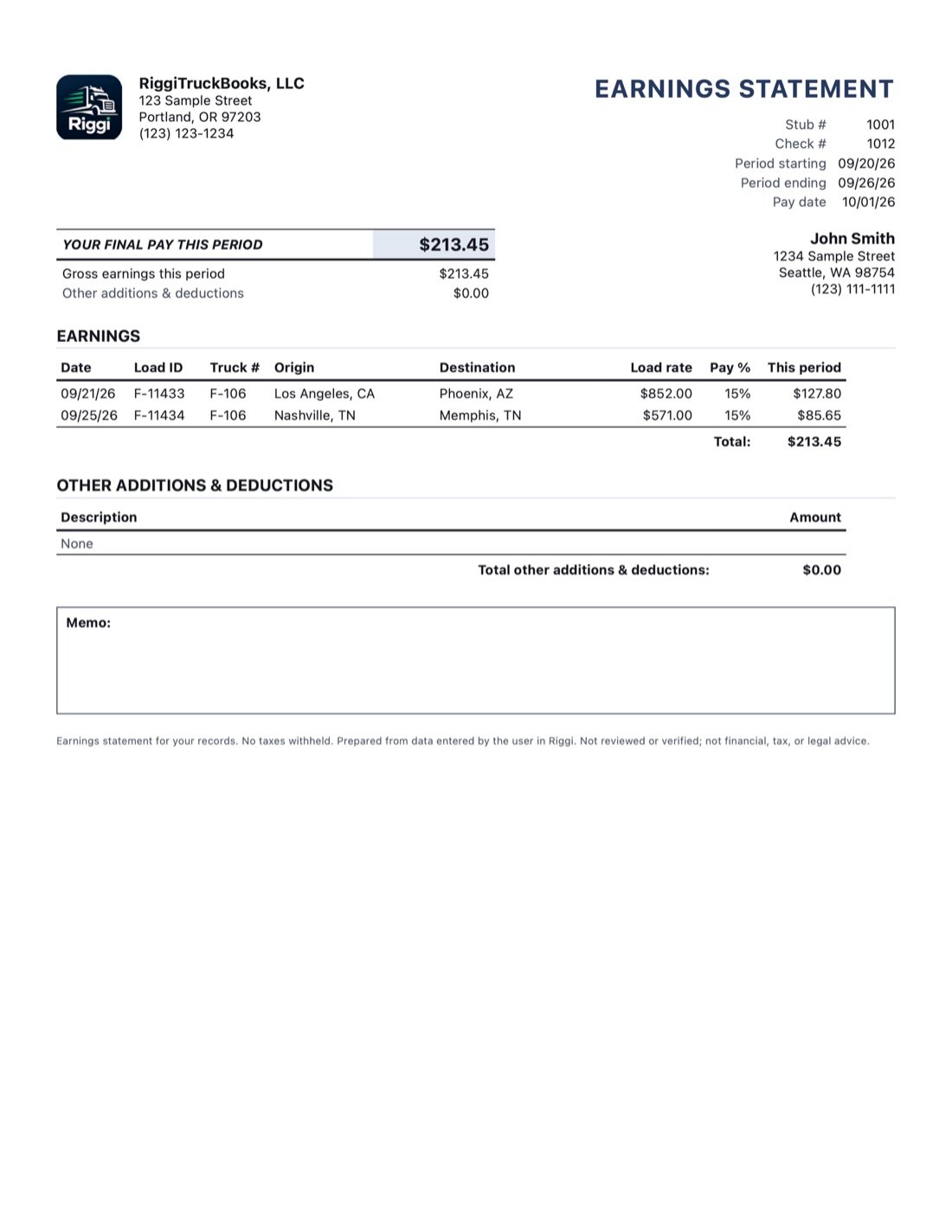
Earnings statements turn a week of a driver’s loads into a pay stub: the loads, the pay basis for each, additions and deductions, and the final pay. Save it as a PDF, or send it by email or text with photos or files attached, from the phone’s own Mail or Messages. It’s a record of pay; Riggi doesn’t run payroll or withhold taxes.
Your books stay on your device
There’s no account to create and no sign-in. Your records are stored on your iPhone or iPad, not on our servers; we don’t have servers that hold them. Backups go where you choose, such as your own iCloud Drive or the Files app, and a backup restores on a new device.
Try it, then choose a plan
- Free to try: every feature, Pro included, for up to 10 loads and 20 entries. No time limit and no automatic charge.
- Basic, $24.99 one-time: one truck and one driver, the Dashboard, the Profit & Loss, Revenue, Expense, Load and Fuel reports, recurring costs, exports, and backup and restore.
- Pro, $49.99 a year (renews each year unless canceled): everything in Basic plus unlimited trucks and drivers, driver pay on each load, the Truck, Driver and Broker reports, and earnings statements.
Riggi is coming soon to the App Store for iPhone and iPad. See the RiggiTruckBooks page for screenshots and the full feature list.
Riggi records and totals what you enter. It isn’t tax, legal or financial advice. Screens shown use a made-up sample company.