
General information only. This article isn’t accounting, tax, legal or financial advice, and reading it doesn’t create a CPA–client relationship. Readers use it at their own discretion.
A custom trucking business system puts dispatch, revenue, driver pay, deductions and invoices in one place. This post covers the problems it solves for small fleets and brokers, what it does, what it takes to build one, and an example from a fleet of about 25 trucks.
The Problem: Separate Sheets That Don’t Connect
Most small trucking businesses start with a few spreadsheets: one for dispatch, one for driver pay, one for deductions, and invoices made by hand. Notes sit in emails and texts. As the fleet grows to 10, 20 or 25 trucks, the gaps show:
- Deductions get missed
- Drivers question their pay
- Invoices go out late
- Driver and truck loans and repayments aren’t tracked
- Hours go into double-checking numbers
What a Trucking Business System Does
A load is entered once, and dispatch, revenue and driver settlements all update from it. Pay follows the company’s actual pay structure, including percentages and deductions. Weekly or biweekly settlements are produced from the entered loads. Reports pull from any date range, and the dispatch board shows which trucks are active, delayed or idle.
Why Spreadsheet Setups Break Down
Having spreadsheets isn’t the same as having a system. Common reasons setups break down:
- They don’t follow how a trucking business actually runs
- They need a lot of manual entry to stay accurate
- They don’t handle no-load weeks or deductions that carry forward
- They don’t grow with the fleet
- They weren’t built on accounting logic
What It Takes to Build One
A trucking business system draws on several skills at once:
- Accounting: revenue and profit, driver pay structures, deductions, liabilities and settlement timing. If the financial logic is wrong, the reports are wrong.
- Trucking operations: dispatch workflows, load statuses, driver communication and settlement cycles.
- System design: where data lives, how it flows between sheets, what is automated and what stays manual, and how entry mistakes are prevented.
- Automation: formulas, Google Apps Script, settlement PDFs, emails and trigger-based workflows.
- Working with the client: discovery calls, turning real workflows into a structure, and revising as the client sees a working version.
The Hardest Part: Keeping It Simple
The people entering data are dispatchers, owners and small office teams. A well-designed system keeps the complexity behind the scenes: entering a load means filling in the load’s details in one place, and the formulas and scripts do the rest.
Example: A Fleet of About 25 Trucks
EverReachCraft built a system for a small fleet of about 25 trucks. The fleet’s challenges were trucks with no loads in a given week, deductions carried across pay periods, and settlements that came out the same way every time. The system flags trucks with no loads, handles multi-week pay periods, carries deductions forward, and produces settlement reports on demand.
Custom System or Off-the-Shelf Software
Trucking software is built for many businesses at once, so its pay rules, deduction rules and reports follow a general pattern. A custom system follows one business’s rules. Ready-made EverReachCraft systems sit in between:
- Carrier & Broker Operations System (Google Sheets): truck dispatch with load status counts, brokerage loads, financial analysis, and settlement and loan statements created as PDFs and emailed
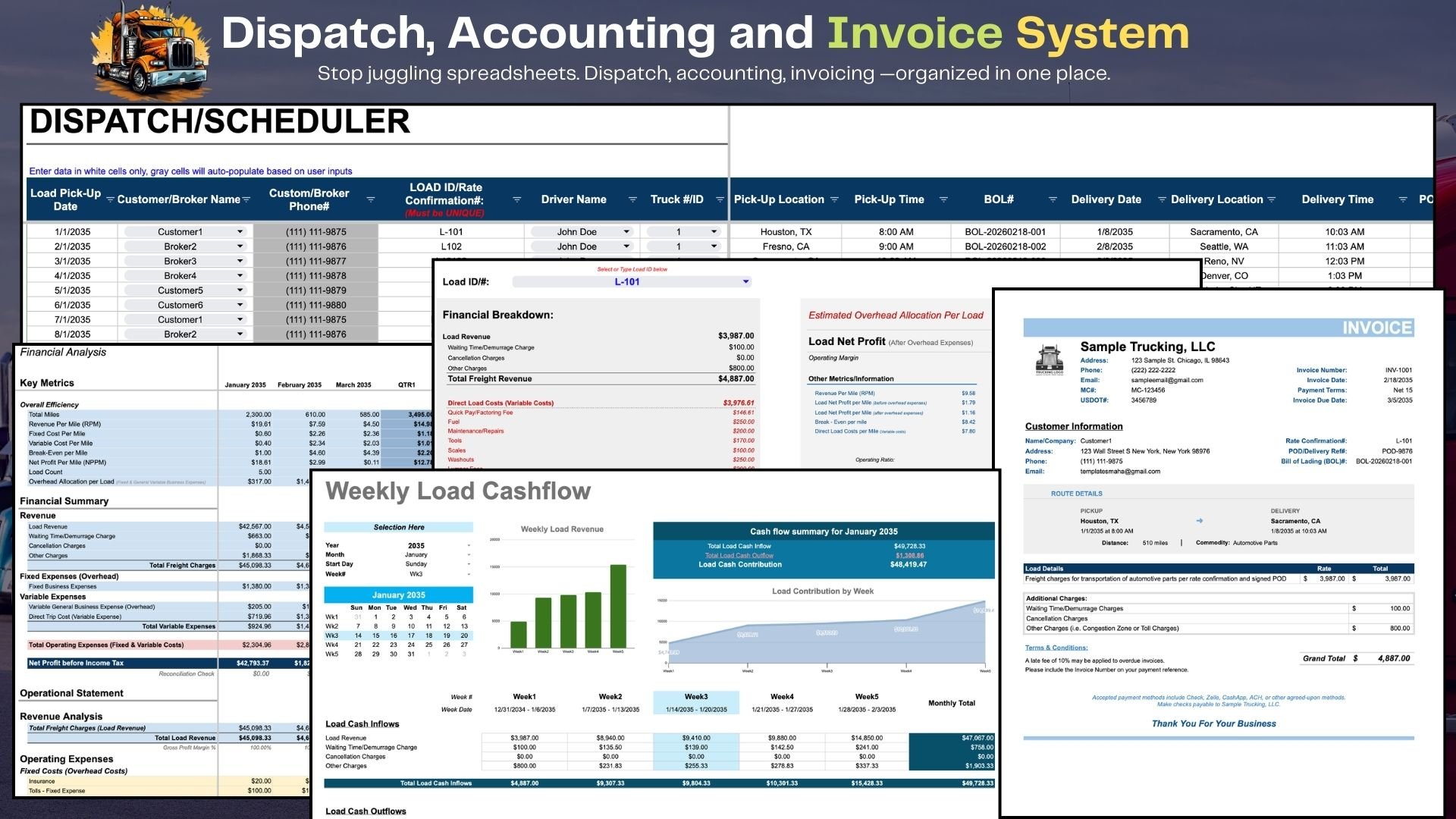
- Trucking Dispatch Spreadsheet with Invoicing & Accounting: dispatch scheduler, load financial breakdown, financial analysis, weekly load cash flow and invoices
- Owner-Operator Dispatch, Accounting & Settlement System: dispatch, trip costs, driver deductions and settlement reports
How custom projects are quoted and built is on the Custom Builds page.